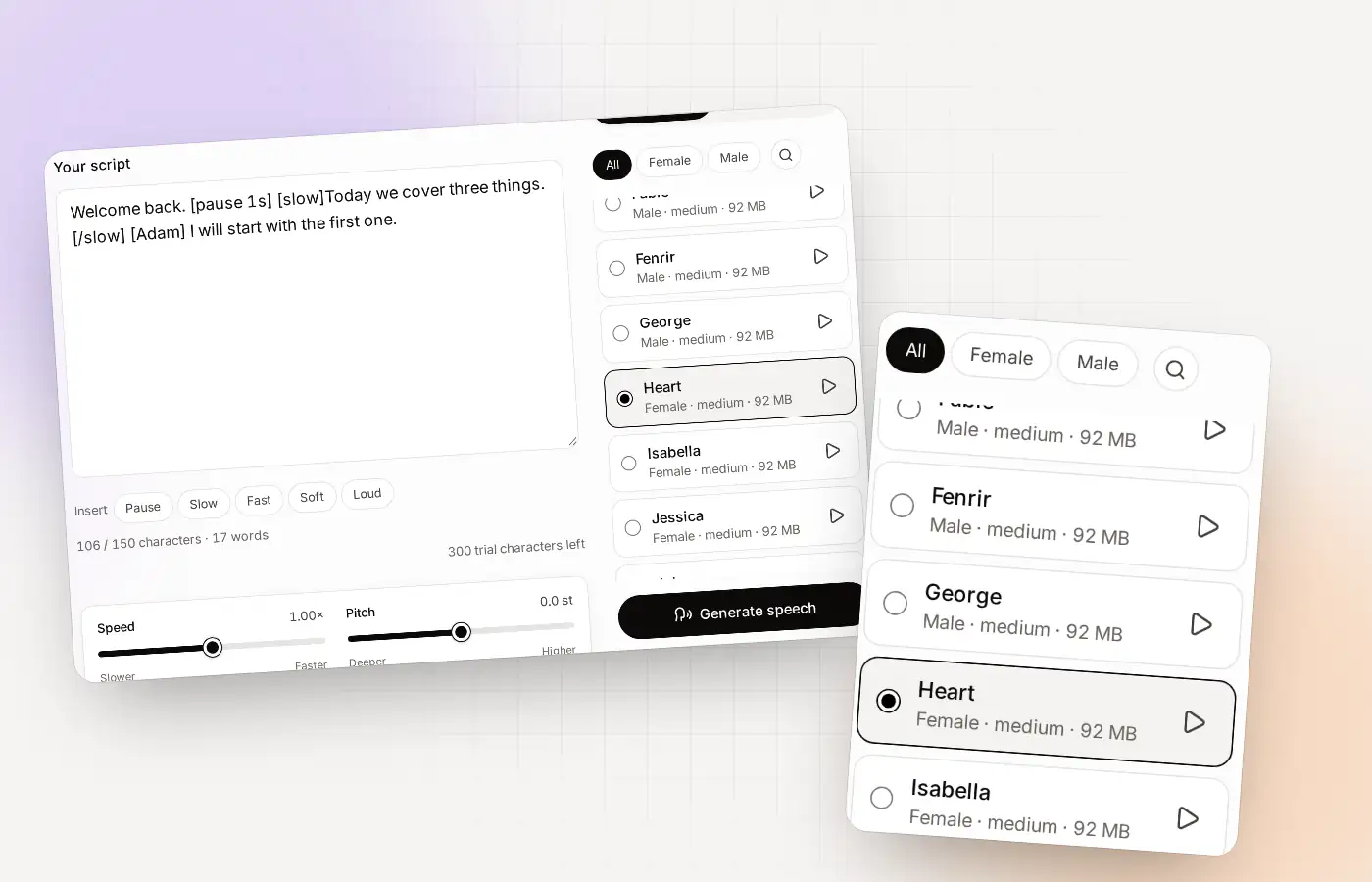
Directing a voice-over at a glance
| Pause | [pause 1s], from a fraction of a second up to 10 seconds |
|---|---|
| Pace | [slow]…[/slow] and [fast]…[/fast] |
| Volume | [soft]…[/soft] and [loud]…[/loud] |
| Change voice | [Adam] or any voice name, from there on |
| Sliders | Speed, pitch, sentence pause and volume |
| Downloads | MP3 and WAV |
| Language | English only |
The five tags that direct a voice-over
A voice-over is more than words. It is when you pause, which part you slow down and where you lower your voice. Clonylab lets you write those choices into the script. You can also click the buttons above the script box, which insert the tags for you.
| Tag | What it does | Example |
|---|---|---|
| [pause 1s] | Silence of that length. Use s for seconds or ms for milliseconds. The longest pause is 10 seconds | Welcome back. [pause 1s] Let’s begin. |
| [slow] … [/slow] | Speaks the words between the tags 20% slower (×0.8) | This part is [slow]really important[/slow]. |
| [fast] … [/fast] | Speaks them 25% faster (×1.25) | And here is the quick recap: [fast]one, two, three[/fast]. |
| [soft] … [/soft] | Makes them quieter (×0.5) | [soft]Between us[/soft], it’s simple. |
| [loud] … [/loud] | Makes them louder (×1.5) | Ready? [loud]Let’s go![/loud] |
| [Adam] | From here on, this voice speaks, until you name another | [Adam] I’ll take the first part. |
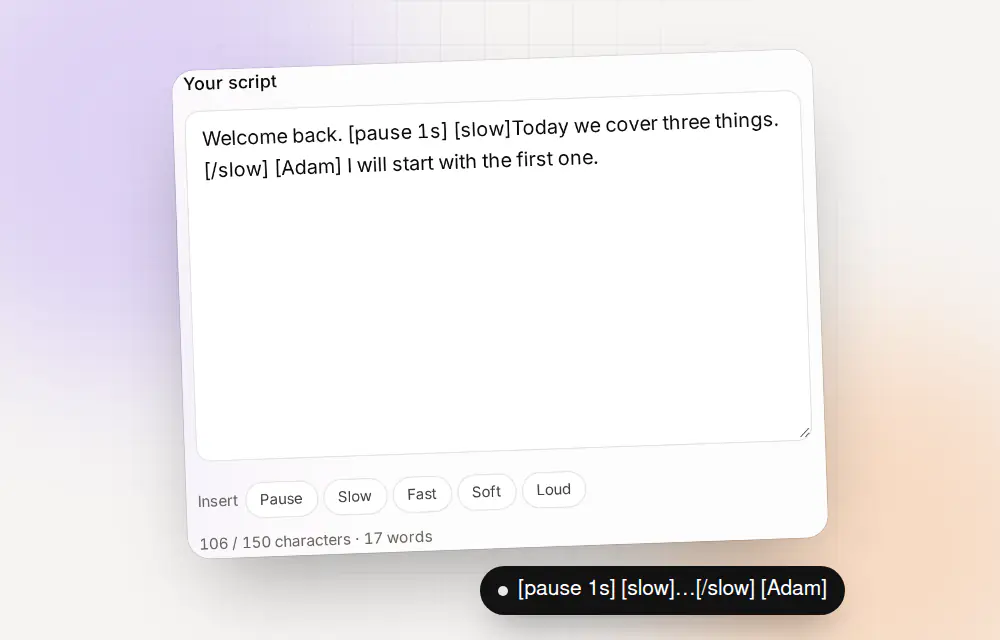
Style tags can be nested, so [slow][soft]…[/soft][/slow] works. A tag that is not one of these is read aloud as ordinary text, so something like [1] or [sic] will not break your script.
Sliders for the whole script
Tags change one part. Sliders change everything. Use sliders for the overall feel, then tags for the details.
| Slider | What it does | When to use it |
|---|---|---|
| Speed | How fast the voice speaks, from slower to faster | A calm tutorial or a quick ad |
| Pitch | How high or low the voice sounds, in semitones | To fit a voice to your content |
| Sentence pause | The gap between sentences, in seconds | Longer for instructions, shorter for energy |
| Volume | How loud the audio is | To match other audio |
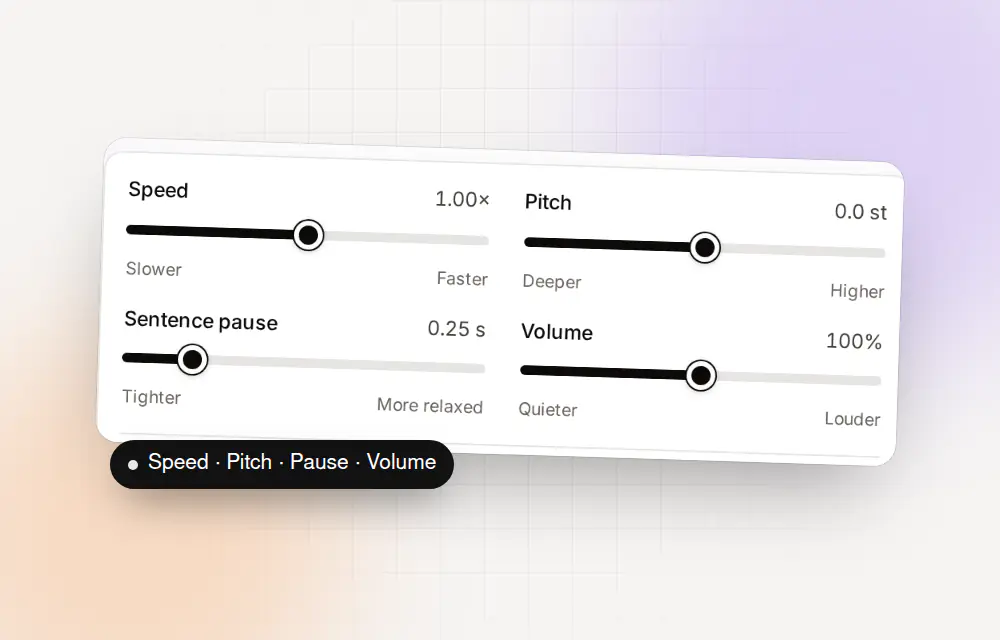
There is a “Reset settings” button, so you can always go back to the defaults.
Three directing recipes to copy
Paste these into the Studio to hear what the tags do. Each one is under 150 characters, so they work on the free plan too.
| Goal | Script |
|---|---|
| A calm intro | Welcome. [pause 1s] [slow]Take a breath, and let’s begin.[/slow] |
| An energetic ad | New today! [fast]Faster, simpler and free to try.[/fast] [pause 500ms] [loud]Start now.[/loud] |
| Two voices | [Adam] Ready? [pause 500ms] [Emma] Ready when you are. |
Welcome. [pause 1s] [slow]Take a breath, and let’s begin.[/slow]Writing for the ear
- Short sentences. If you would run out of breath, the voice sounds odd too.
- Spell out what is hard. Write numbers and names the way they should sound.
- Pause where you would breathe. A half-second pause often does more than a slow word.
- Listen at normal volume. Play it the way your audience will.
- Keep a few favourite settings. Once a voice and speed work, reuse them.
The voices come from the AI voice generator page’s list of 38, plus any clones you make. See text to speech with pauses for more on silence.
A worked example: a 15-second ad
Let’s direct a short ad together, one change at a time. This is a full-length example, so it needs Pro or Team. On the free plan, try the first two lines.
| Version | Script | What changed |
|---|---|---|
| 1: plain | Meet Brightline. The fastest way to plan your week. Try it free today. | Nothing yet. Listen first |
| 2: with pauses | Meet Brightline. [pause 500ms] The fastest way to plan your week. [pause 500ms] Try it free today. | Two half-second pauses |
| 3: with emphasis | Meet Brightline. [pause 500ms] The [loud]fastest[/loud] way to plan your week. [pause 500ms] Try it free today. | One word louder |
| 4: with a closing | Meet Brightline. [pause 500ms] The [loud]fastest[/loud] way to plan your week. [pause 500ms] [slow]Try it free today.[/slow] | A slower finish |
Brightline is a made-up name for this example. Listen to all four. Each change is small, and together they turn a flat read into something that sounds directed.
Tag mistakes to avoid
| Mistake | What happens | Fix |
|---|---|---|
| Forgetting the closing tag | The style carries on to the end of the script | Add [/slow], [/fast], [/soft] or [/loud] |
| Writing [pause 1 second] | The tag is not recognised and is read aloud | Write [pause 1s] or [pause 400ms] |
| A pause longer than 10 seconds | The longest pause is 10 seconds | Use two pauses, or cut the gap |
| A misspelled voice name | It is read aloud as text | Use the exact voice name, such as [Adam] |
| Tags on every word | The result sounds jumpy | Use tags where a speaker would change |
A pace and pause cheat sheet
| You want | Try |
|---|---|
| A breath between ideas | [pause 500ms] |
| A dramatic beat | [pause 1s] before the key line |
| A calm, serious part | [slow]…[/slow] |
| A quick aside | [fast]…[/fast] and [soft]…[/soft] |
| A shout-out | [loud]…[/loud] |
| A new speaker | [VoiceName] before their line |
| A slower reading overall | Lower the Speed slider |
| A longer gap between sentences | Raise the Sentence pause slider |
If you would like to hear it in many voices first, start with the AI voice generator.
Four styles, four settings
Here are four common styles, with starting settings. They are starting points. Change them to taste, one thing at a time.
| Style | Sliders | Tags to try | Good for |
|---|---|---|---|
| Calm | Speed a little lower, sentence pause a little longer | [slow] on key words, [pause 1s] between ideas | Tutorials, meditation-style intros, long lessons |
| Energetic | Speed a little higher, sentence pause shorter | [fast] for lists, [loud] for the call to action | Adverts, product teasers |
| Serious | Speed slightly lower, pitch slightly lower | [slow] for the main point, [pause 1s] before it | Documentary, news-style reads |
| Friendly | Speed normal, pitch normal | [soft] for asides, short pauses | Explainers, onboarding, how-to videos |
Any of the 38 voices can do any of these, and your own clone can too. The AI voice generator page helps you choose a voice first.
How long should a pause be?
There is no single right answer, but there are good starting points. Pauses are easy to overdo, so begin short and add time only if it sounds rushed.
| Length | Sounds like | Use it for |
|---|---|---|
| 250 to 400 ms | A light breath | Between phrases in a list |
| 500 ms | A natural stop | Between ideas in a sentence |
| 1 s | A clear beat | After a heading, before a key line |
| 2 s | A long, deliberate stop | Before a reveal, or after a serious point |
| 3 s or more | Silence the listener notices | Between sections, or leaving room for music |
Remember that the Sentence pause slider already puts a gap after every sentence. Add a [pause] tag only where you want something longer than that.
Where to go next
- Choose a voice on the AI voice generator page.
- Add silence with the text to speech with pauses page.
- Download your result as described on the text to speech MP3 page.
Questions about the AI voiceover generator
How do I add a pause?
Type [pause 1s] where you want it, or press the Pause button. You can write seconds (1.5s) or milliseconds (400ms). The longest pause is 10 seconds.
Can I make one part slower?
Yes. Put the words between [slow] and [/slow]. Use [fast] and [/fast] for a quicker part.
Can I change volume inside a script?
Yes. Use [soft] and [/soft] for quieter words and [loud] and [/loud] for louder ones.
Can two voices read one script?
Yes. Write a voice name in square brackets, such as [Adam], and that voice speaks from there until you name another.
What happens if I write a tag Clonylab doesn’t know?
It is read aloud as ordinary text, so it never breaks the script.
Do the tags work on the free plan?
Yes. The free plan has all the tags and sliders, with a 150-character limit per script.
Is the AI voiceover generator free?
You can start free with 300 characters. Pro and Team have no limits.
Do tags work in every voice?
Yes. Pause, slow, fast, soft and loud tags work in all 38 standard voices and in your cloned voices.
Can I nest tags?
Yes. Style tags can be nested, for example slow inside soft. Close each one with its own closing tag.
Which tag should I use first?
Start with [pause 1s]. It is the easiest to hear, and it improves most scripts.
Direct your first voice-over
Try the tags on the free plan. No card needed.
Sources and further reading
- Speech Synthesis Markup Language 1.1 (W3C) · The standard way to mark pauses, speed and emphasis in text for a speech engine.
- Kokoro-82M model card (Hugging Face) · The voice model Clonylab’s standard voices run on, with its Apache 2.0 licence.
Written and checked by the Clonylab team. Last updated . The screenshots were taken from the Clonylab app on that date. Read how we work on the About page, or contact us if something on this page is wrong. See also the Terms, Privacy policy and Voice licences.