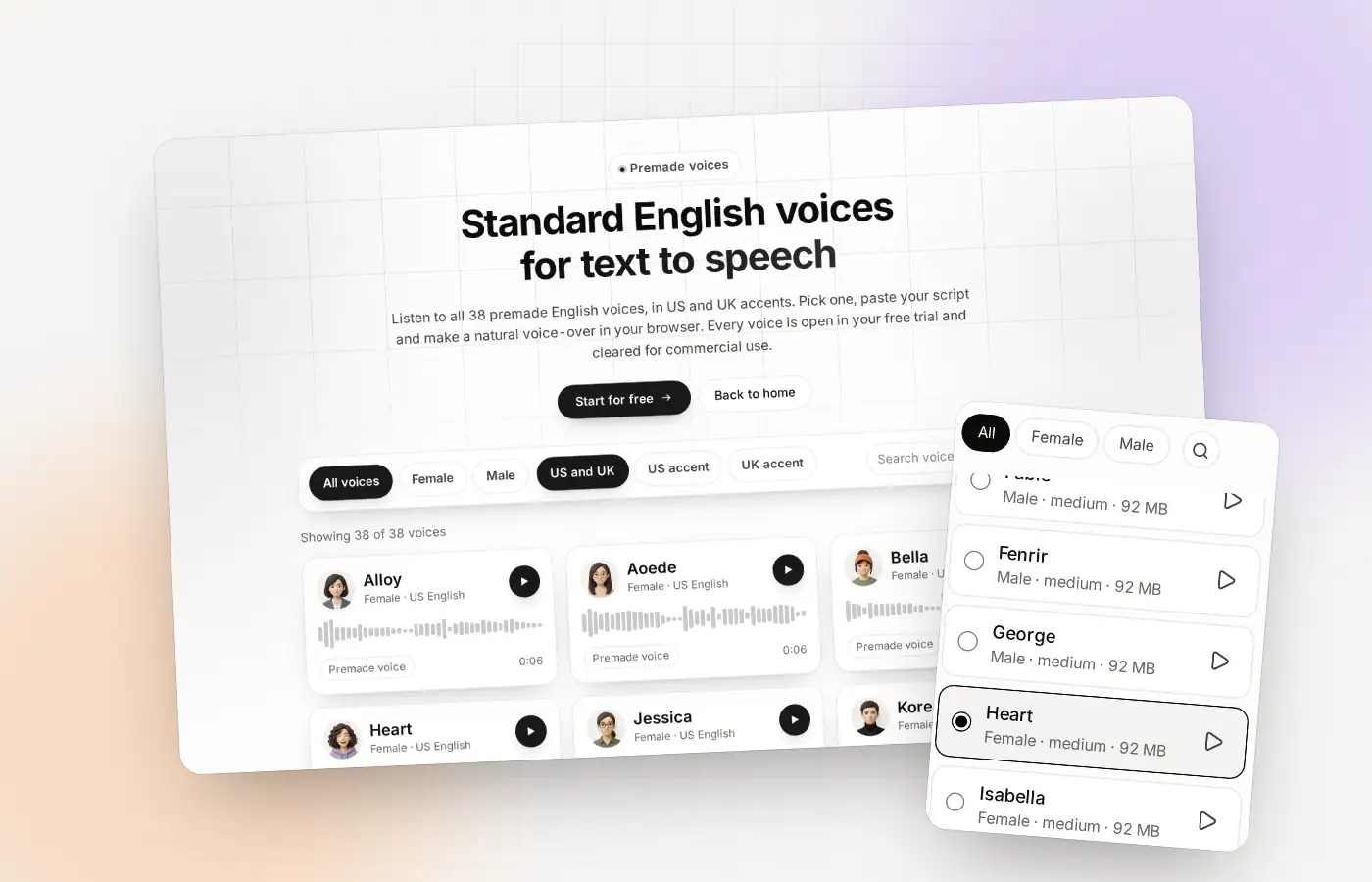
The AI voice generator at a glance
| Premade voices | 38 English voices: 28 US and 10 UK |
|---|---|
| Types | Female, male and neutral |
| Your own voice | Clone it from about 10 seconds of speech |
| Where it runs | In your browser, not on a server |
| Downloads | MP3 and WAV |
| Free allowance | 300 characters, one time |
| Language | English only |
How to pick a voice that fits
Thirty-eight voices is a lot. The quickest way to choose is to ignore the names and use your ears. Here is a method that works.
Narrow it down by type
Use the All, Female and Male filters in the Studio, or the accent filters on the standard voices page. Decide US or UK first, because that choice changes the feel the most.
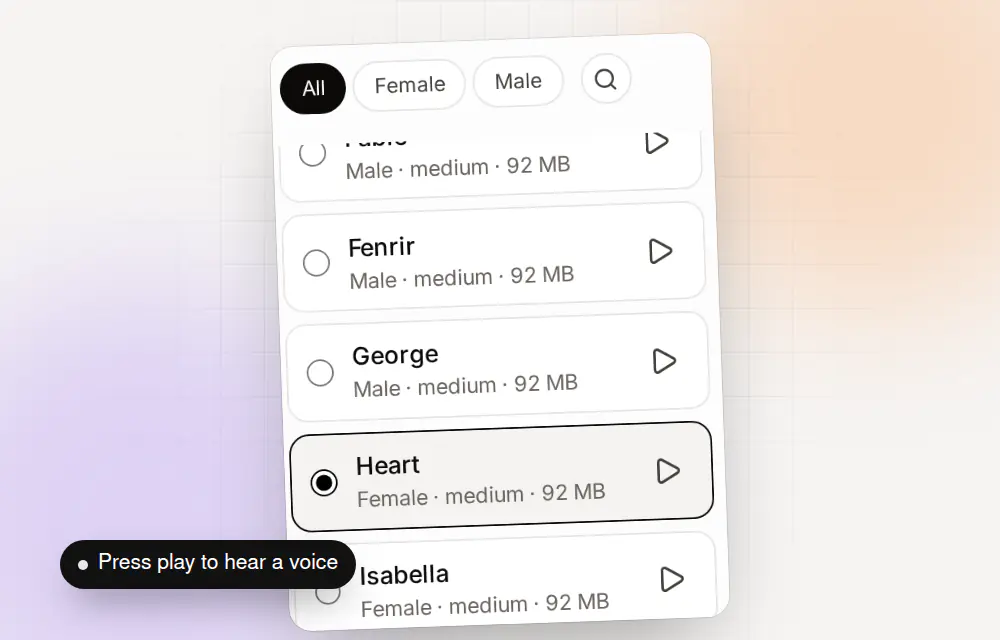
Filter the voices, press play to hear one, and pick it. Listen to three
Play the sample of three voices in a row. Do not decide yet. Notice which one you can listen to for two minutes without getting tired of it.
Test it on your own words
Samples are one sentence. Your script is not. Generate the first lines of your real script before you commit.
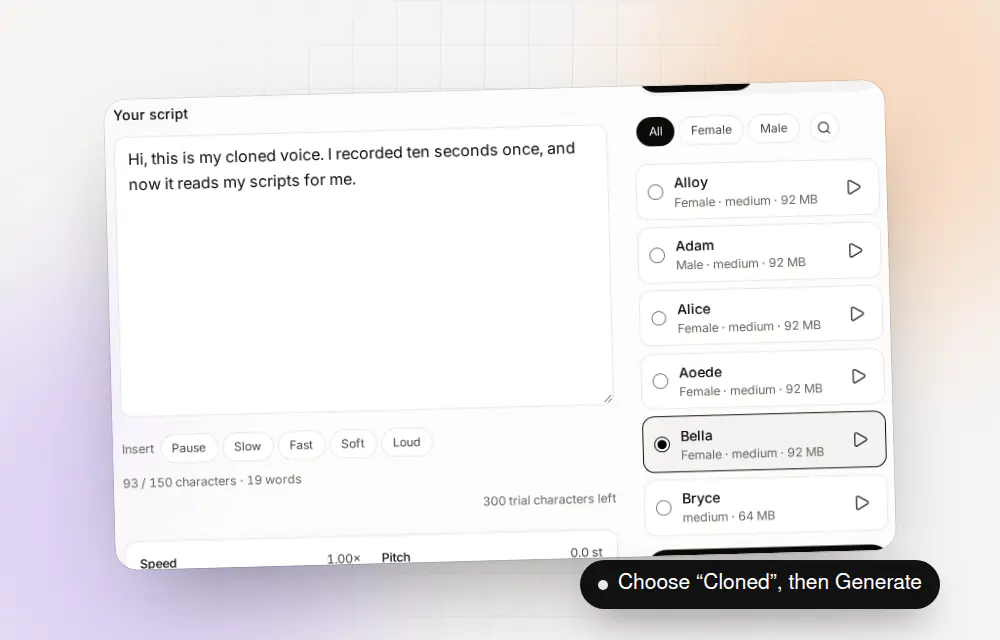
Choose a voice and press Generate speech.
Eight voices, eight jobs
On the Clonylab home page, eight voices are shown doing a job each. These are examples, not rules. Any voice can read any script.
| Voice | Type | Shown doing |
|---|---|---|
| Heart | US female | A YouTube intro |
| Michael | US male | An advert |
| Emma | UK female | An audiobook |
| Sarah | US female | An online course |
| Onyx | US male | A podcast intro |
| Sky | US female | A product explainer |
| George | UK male | A documentary |
| Adam | US male | A training video |
Names like Alloy, Echo, Fable, Onyx and Nova, and Aoede, Kore, Puck and Fenrir, also appear in other products. The Clonylab voices with those names are different voices, so do not expect them to sound the same.
What makes the voices different under the hood
The 38 voices come from two open voice engines, and you will see the difference in how they are labeled.
| Engine | Voices | How they are labeled |
|---|---|---|
| Kokoro | 28 named voices: 11 US female, 9 US male, 4 UK female and 4 UK male | By first name, with the accent and a download size |
| Piper | 10 neutral voices: 8 US and 2 UK (Cori) | By name, with a quality level of medium or high |
You do not need to care about the engine to use the voices. It is useful to know that “neutral” voices come from Piper, and that the Studio shows each voice’s download size, which differs by voice.
And a voice that is yours
Standard voices are shared by everyone. A cloned voice is yours. Record about 10 seconds, confirm it is your voice, and the Studio adds it under Cloned, next to the standard voices. You can mix them in one script by using a voice tag, such as [Adam], to switch the speaker from that point on.
Read the whole flow on the voice clone online page. On the free plan you can clone up to 3 voices.
[Adam] Ready? [pause 500ms] [Emma] Ready when you are.What people make with an AI voice generator
| Use | What you write | A good place to start |
|---|---|---|
| Video voice-over | A narration or a how-to | A clear US or UK voice and a steady speed |
| Podcast intros | A 20-second welcome | A voice with a character, plus a short [pause 1s] |
| Training and courses | Lesson scripts | A voice you can listen to for long stretches |
| Product explainers | Feature walk-throughs | A friendly voice and clear numbers |
| Audiobook drafts | A chapter | A voice you like, with slower pace tags |
Add pauses and style tags to direct the reading. The AI voiceover generator page shows how.
Three auditions to run before you choose
Samples tell you how a voice sounds in a single sentence. These three auditions tell you how it behaves in your work.
| Audition | What to paste | Why it helps |
|---|---|---|
| The opening line | The first sentence of your real script | First impressions decide whether people keep listening |
| The hard line | A sentence with numbers, a name or a long clause | Shows how a voice handles difficult text |
| The long read | A full paragraph, if your plan allows it | Shows whether you can listen to it for minutes |
On the free plan, use your 300 characters for the first two. Pro lets you run all three as often as you like.
Mixing voices in one script
You are not tied to one voice per file. Write a voice name in square brackets, and that voice speaks from there until you name another. That is how you make a short dialogue.
Both voices need to be available to you. The standard voices always are, and your cloned voices work too. The AI voiceover generator page explains more of the tags.
Five common mistakes when choosing a voice
- Picking by name. The names mean nothing. Pick by ear.
- Deciding on one sentence. Test your own text.
- Mixing accents without meaning to. US and UK voices side by side can feel like a mistake.
- Ignoring the download. The Studio shows each voice’s size, and the first use downloads it.
- Forgetting your own voice. If your content should sound like you, a clone beats every premade voice.
And if you need the licence picture for business use, text to speech for commercial use covers it.
Where you pick and use voices
Voices show up in three places, and each one answers a different question.
| Place | What it is for | Needs an account? |
|---|---|---|
| The standard voices page | Listen to a sample of all 38 voices with filters for US and UK | No |
| The Studio | Choose a voice, change the sliders and generate | Yes |
| The Voices page (signed in) | Browse the voices in the app | Yes |
| Clone | Make a voice of your own | Yes |
The public page lets you decide before you sign up. The Studio is where you do the work.
What “female”, “male” and “neutral” mean here
Clonylab labels each voice as female, male or neutral. Female and male voices come from the Kokoro engine. Neutral voices come from the Piper engine, which does not tag a voice as female or male.
| Female | Male | Neutral | Total | |
|---|---|---|---|---|
| US | 11 | 9 | 8 | 28 |
| UK | 4 | 4 | 2 | 10 |
| All | 15 | 13 | 10 | 38 |
If you want a voice that does not lean either way, start with the neutral list. If you are not sure, press play on a few from each group.
Where to go next
- Hear them by accent: British text to speech and American text to speech.
- Direct a voice with the AI voiceover generator.
- Make a voice of your own on the voice clone online page.
Questions about the AI voice generator
What is an AI voice generator?
A tool that turns text into spoken audio in a synthetic voice. Clonylab’s generator makes English voice-overs in 38 premade voices or in your own cloned voice.
How many voices does Clonylab have?
38 standard English voices: 28 US and 10 UK, in female, male and neutral. You can add voices you clone yourself.
Can I hear the voices before signing up?
Yes. The standard voices page has a sample of every voice.
Is the AI voice generator free?
You can start free with a one-time allowance of 300 characters. Pro and Team have no limits.
Can I use my own voice?
Yes. Record about 10 seconds, confirm it is your voice, and clone it. It then appears in the Studio under Cloned.
Do the voices work in other languages?
No. All voices are English.
Where is the audio made?
In your own browser, in your browser. Your text is not uploaded.
How do I choose between so many voices?
Narrow by type and accent, listen to three samples, then generate the first lines of your real script in your top two. Pick the one you can listen to for two minutes.
Can two voices speak in one script?
Yes. Write a voice name in square brackets, such as [Adam], and that voice speaks from there until you name another.
What is the difference between standard and cloned voices?
Standard voices are the 38 premade English voices everyone can use. A cloned voice is made from your own recording and is stored only in your browser.
Which voice should I use first?
Start with a voice from the type you picked, and test your own first line. Names do not tell you how a voice sounds.
Find your voice
Listen to the voices, pick one and press Generate. Free to start, no card needed.
Sources and further reading
- Kokoro-82M model card (Hugging Face) · The voice model Clonylab’s standard voices run on, with its Apache 2.0 licence.
- Speech synthesis (Wikipedia) · A plain overview of how computers turn text into speech.
Written and checked by the Clonylab team. Last updated . The screenshots were taken from the Clonylab app on that date. Read how we work on the About page, or contact us if something on this page is wrong. See also the Terms, Privacy policy and Voice licences.