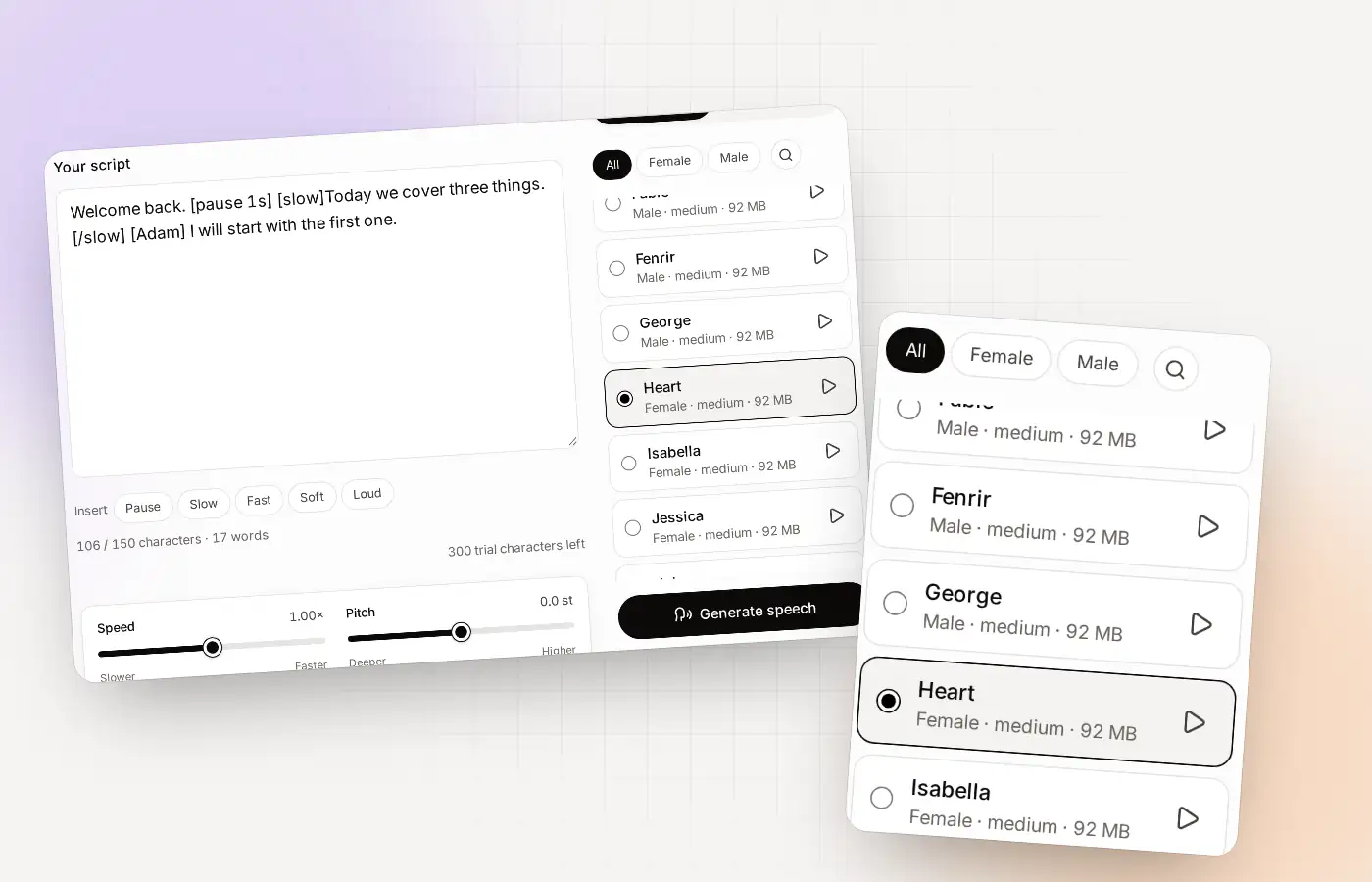
Pauses at a glance
| Tag | [pause 1s] or [pause 400ms] |
|---|---|
| Length | From milliseconds up to 10 seconds |
| Button | The Pause button inserts [pause 1s] for you |
| Slider | Sentence pause: the gap after every sentence |
| Works with | All 38 standard voices and your cloned voices |
| On the free plan | Yes. Mind the 150-character script limit |
The pause tag
A pause is a small piece of text in square brackets. Put it where you want silence. Write the length after the word “pause”, as a number with s for seconds or ms for milliseconds.
| You write | You get |
|---|---|
| [pause 1s] | One second of silence |
| [pause 1.5s] | A second and a half |
| [pause 400ms] | Four tenths of a second |
| [pause 10s] | The longest pause possible |
| [pause 2 seconds] | Not recognised: it is read aloud. Write [pause 2s] |
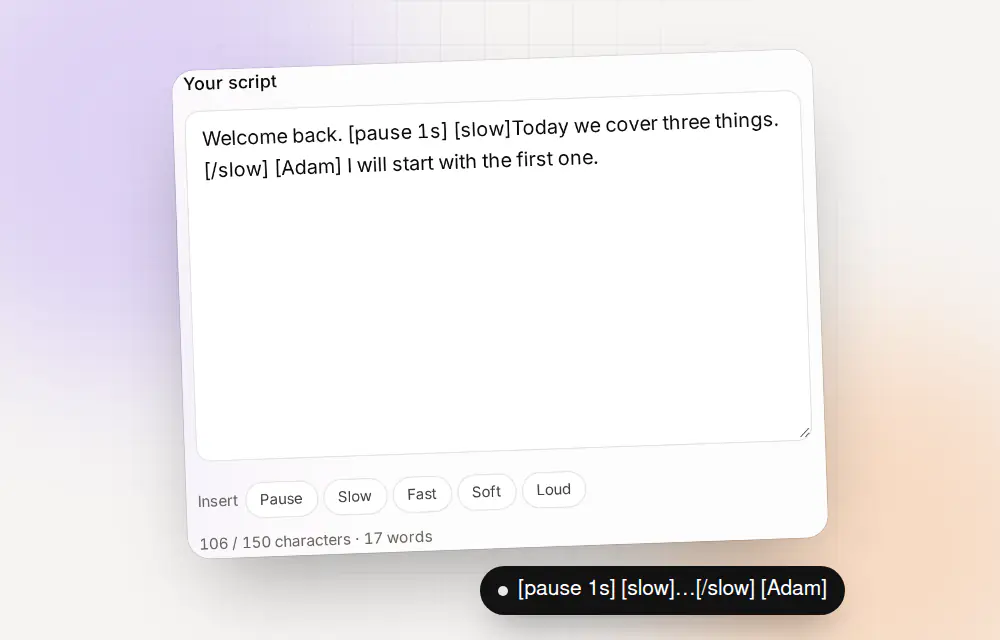
You do not have to type it. The Pause button above the script box inserts [pause 1s] where your cursor is, and you edit the number.
Pause tag or Sentence pause slider?
Clonylab gives you two ways to control silence. They do different jobs, and you will often use both.
| Pause tag | Sentence pause slider | |
|---|---|---|
| What it does | Adds silence in one place | Sets the gap after every sentence |
| Scope | One spot in the script | The whole script |
| Range | Up to 10 seconds | A few seconds, set with the slider |
| Best for | A dramatic beat, a section break | The overall pace of the reading |
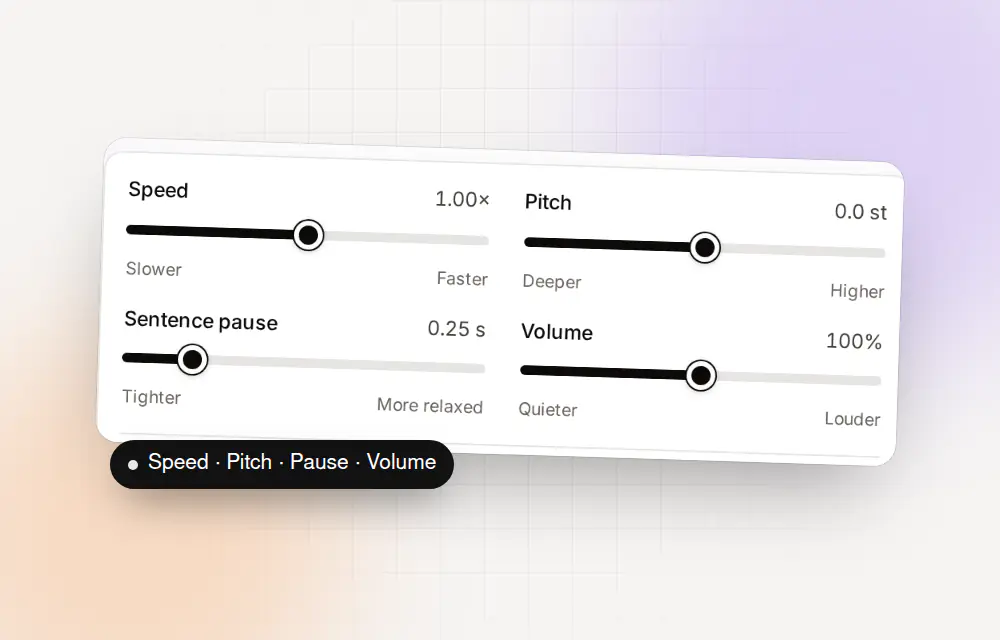
A good habit: set the slider first for the overall rhythm, then add tags only for the moments you want longer than the slider’s gap.
Pause patterns that sound natural
| Kind of script | Where to pause | Length |
|---|---|---|
| A list | Between items | 250 to 400 ms |
| A phone number | Between groups of digits | 300 to 500 ms |
| A tutorial | After each instruction | 500 ms to 1 s |
| A dialogue | Before a new speaker | 500 ms |
| A heading | After the title | 1 s |
| A reveal | Before the key words | 1 to 2 s |
| A section break | Between parts | 2 s or more |
- A list250 to 400 ms
- A phone number300 to 500 ms
- A tutorial500 ms to 1 s
- A heading1 s
- A reveal1 to 2 s
- A section break2 s or more
Four scripts to try
Each is under 150 characters, so it works on the free plan.
| Goal | Script |
|---|---|
| Calm opening | Welcome. [pause 1s] Take a breath. [pause 1s] Let’s begin. |
| Phone number | Call us on five five five, [pause 400ms] oh one oh oh. |
| A reveal | The winner is [pause 2s] you. |
| A list | We offer three things: [pause 400ms] speed, [pause 400ms] privacy, [pause 400ms] and price. |
Pause mistakes to avoid
- Too many pauses. Silence loses its effect when it is everywhere.
- Long pauses by default. Start at half a second and add time only if it sounds rushed.
- Writing the length in words. [pause 2 seconds] is read aloud. Use [pause 2s].
- Pausing after the slider already did. The Sentence pause slider adds a gap after every sentence, so a short tag there may be enough.
Other tags, such as [slow] and [loud], are on the AI voiceover generator page.
Eight more scripts with pauses
| Goal | Script |
|---|---|
| Opening a lesson | Today’s lesson. [pause 1s] Let’s get started. |
| An address | We are at forty-two, [pause 400ms] Baker Street. |
| An email address | Write to us at support, [pause 300ms] at clonylab dot com. |
| A countdown | Ready? [pause 1s] Three. [pause 1s] Two. [pause 1s] One. |
| A warning | Please note. [pause 1s] This cannot be undone. |
| A joke | Why did the voice cross the road? [pause 1s] To get to the other side. |
| A thank-you | Thank you for listening. [pause 500ms] See you next time. |
| A quote | As she said, [pause 500ms] “It is never too late.” |
Each line is under 150 characters, so it works on the free plan.
If a pause doesn’t sound right
| What you hear | Try |
|---|---|
| The pause is too short | Raise the number, for example from 500ms to 1s |
| The pause is too long | Lower the number, or remove the tag |
| The tag is read aloud | Check the format: [pause 1s], with no extra words |
| Everything feels rushed | Raise the Sentence pause slider, then remove some tags |
| It sounds jumpy | You have too many pauses. Keep the ones that matter |
Slider and tag combinations
| Goal | Slider | Tags |
|---|---|---|
| A brisk ad | Short gap | One 500 ms beat before the offer |
| A calm tutorial | Medium gap | 1 s after each instruction |
| A solemn announcement | Long gap | 2 s before the main point |
| A quick list | Short gap | 300 ms between items |
| A story read | Medium gap | 2 s between scenes |
Choosing pauses for your audience
- Learners and new listeners need longer gaps after new ideas.
- Busy listeners want a quick pace and short beats.
- Listeners on the move need clear pauses between facts.
- Phone-style messages work best with a short pause between each detail.
Pick a starting point, listen, and change one number at a time.
The short version
- The tag: [pause 1s] or [pause 400ms], up to 10 seconds.
- The button: Pause above the script box inserts the tag for you.
- The slider: Sentence pause sets the gap after every sentence.
- The habit: set the slider first, then add tags only where you want more.
- The format: write [pause 2s], not [pause 2 seconds].
- The limit: on the free plan, keep each script under 150 characters.
Silence is the cheapest way to make a voice-over sound human. Try one pause before a key line and listen to the difference.
Where to go next
- Learn all the tags: AI voiceover generator.
- Pick a voice: AI voice generator.
- Download your file: text to speech MP3.
Pauses for six kinds of content
| Content | Habit | Example |
|---|---|---|
| Audiobook | A longer pause at scene breaks | [pause 2s] between scenes |
| Tutorial | A pause after each instruction | Open the app. [pause 1s] Press Start. |
| Advert | A short beat before the offer | Everything you need. [pause 500ms] Now free to try. |
| Podcast intro | A pause after the show name | Welcome to the show. [pause 1s] Let’s dive in. |
| Training | A pause before a warning | Before you start, [pause 1s] make sure it is switched off. |
| Phone-style message | Short pauses between details | Our hours are nine to five, [pause 400ms] Monday to Friday. |
How to tune a script with pauses
Generate it with no tags
Listen to the plain reading first, so you know what you are changing.
Set the Sentence pause slider
Move it until the overall rhythm feels right. This fixes most scripts without a single tag.
Add tags in two or three places
Put [pause 500ms] or [pause 1s] only where you still want more silence, such as before a key point.
Listen again, then stop
If it sounds good, leave it. More pauses rarely make it better.
Pauses and different voices
Pause tags are silence, so they sound the same in every voice. But each voice has its own natural pace, and a pause that fits a quick voice can feel long in a slow one. If you change voice, listen again.
You can also change voice inside one script, with a voice tag such as [Adam] or [Emma]. A short pause before the change gives the listener time to notice the new speaker. The AI voice generator page lists the voices.
Questions about pauses in text to speech
How do I add a pause in text to speech?
Type [pause 1s] where you want it, or press the Pause button above the script box. Edit the number to change the length.
How long can a pause be?
Up to 10 seconds.
Can I write a pause in milliseconds?
Yes. For example [pause 400ms].
What does the Sentence pause slider do?
It sets the gap after every sentence in the whole script. Tags add silence in single places.
Do pauses work in my cloned voice?
Yes. Pause tags work in all voices, including voices you clone.
What if I write the tag wrong?
Clonylab reads an unrecognised tag aloud as ordinary text, so it will not break the script. Check the format: [pause 1s].
Can I use pauses on the free plan?
Yes. The free plan has all tags and sliders, with a 150-character limit per script.
Do pause tags count toward the 150-character script limit?
Yes. The limit counts everything you type, tags included, so keep tags short on the free plan.
Can I add a pause at the very start of a script?
Yes. A pause tag works anywhere, including the first line, which can give a calm opening.
Try a pause
Make a free account, type [pause 1s] in a script and listen.
Sources and further reading
- Speech Synthesis Markup Language 1.1 (W3C) · The standard way to mark pauses, speed and emphasis in text for a speech engine.
- Speech synthesis (Wikipedia) · A plain overview of how computers turn text into speech.
Written and checked by the Clonylab team. Last updated . The screenshots were taken from the Clonylab app on that date. Read how we work on the About page, or contact us if something on this page is wrong. See also the Terms, Privacy policy and Voice licences.