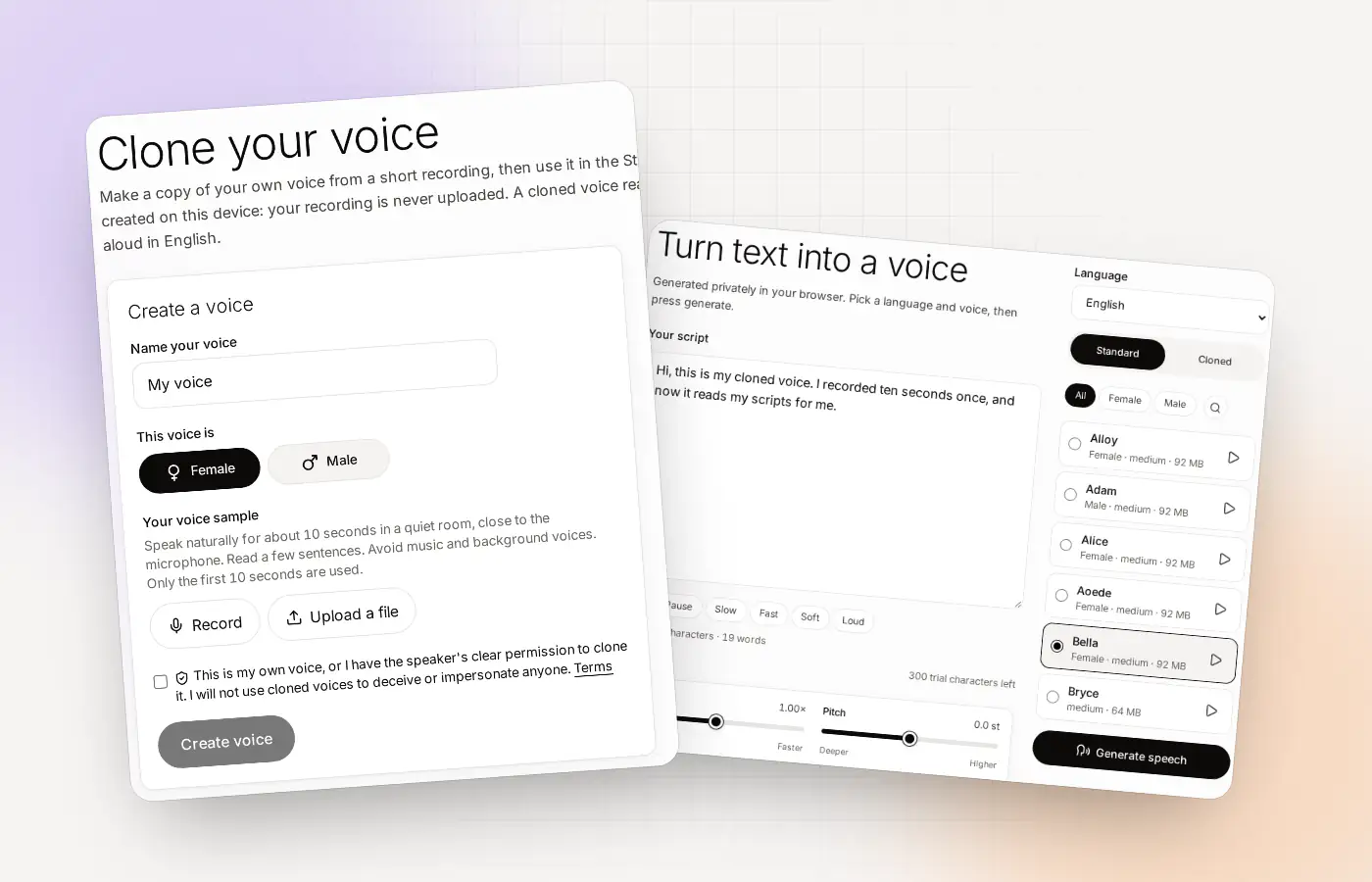
Cloning from a file at a glance
| File types | Any audio file your browser can read (the upload box accepts audio files, such as MP3) |
|---|---|
| What is used | The first 10 seconds of speech in the file |
| Minimum | At least 3 seconds of speech |
| Where it is processed | In your browser. The file is not uploaded to Clonylab |
| Consent | You confirm it is your voice, or that you have the speaker’s permission |
| Cost to start | Free, up to 3 cloned voices |
| Language | English only |
Why start from a file
You may already have a good recording of your voice. A voice memo, a clip from a video you made, a podcast intro, a recorded talk. Instead of recording again, you can use it. That saves time, and sometimes the file is simply better than what you would record in a hurry.
Clonylab handles the file in your own browser. It decodes the audio in the browser, finds the speech, turns it into a clean mono signal and uses the first 10 seconds. The file itself is not sent to our servers. The private voice cloning page explains what is stored where.
What makes a file work well
A good file for cloning is boring. One person, speaking clearly, in a quiet place, for at least ten seconds. The more it sounds like a simple recording of just you, the better the clone.
| Look for | Why it matters |
|---|---|
| Only one voice | A second voice is copied into the clone |
| No music or sound effects | Music under speech muddies the result |
| Little background noise | Noise ends up in the voice |
| A close, clear microphone | Distance and echo make the voice thin |
| Natural speech | Reading like a robot gives a stiff clone |
| At least 10 seconds of speech | The first 10 seconds are used |
If a file fails more than one of these, record a fresh sample on the clone my voice page instead.
Which of your files are worth trying
| Source | Usually | Watch out for |
|---|---|---|
| A voice memo on your phone | Often good | Wind, traffic and room echo |
| Audio from a video you made | Good if you were close to the mic | Background music added in editing |
| A podcast you recorded | Often very good | Guest voices and intro music in the first seconds |
| A phone or video call recording | Mixed | Compression, a second voice, a thin sound |
| A recording of a talk | Mixed | Room echo and audience noise |
- A podcast you recordedOften very good · watch out for: Guest voices and intro music in the first seconds
- A voice memo on your phoneOften good · watch out for: Wind, traffic and room echo
- Audio from a video you madeGood if you were close to the mic · watch out for: Background music added in editing
- A recording of a talkMixed · watch out for: Room echo and audience noise
- A phone or video callMixed · watch out for: Compression and a second voice
How to prepare the file
You do not need an audio editor, but two minutes of preparation help. Most of it is deciding which 10 seconds Clonylab will hear.
Find the clearest 10 seconds
Listen for a stretch where you speak in your normal voice with no music. If you have a longer file, note where that stretch starts.
Cut the file if you can
If your recording starts with music or a long silence, trim it so the first seconds are speech. Any simple audio editor or phone app can do this. Save it as an MP3.
Upload it in Clone
Open Clone and press Upload a file. Clonylab tells you how many seconds of speech it found, and warns you if that is too short.
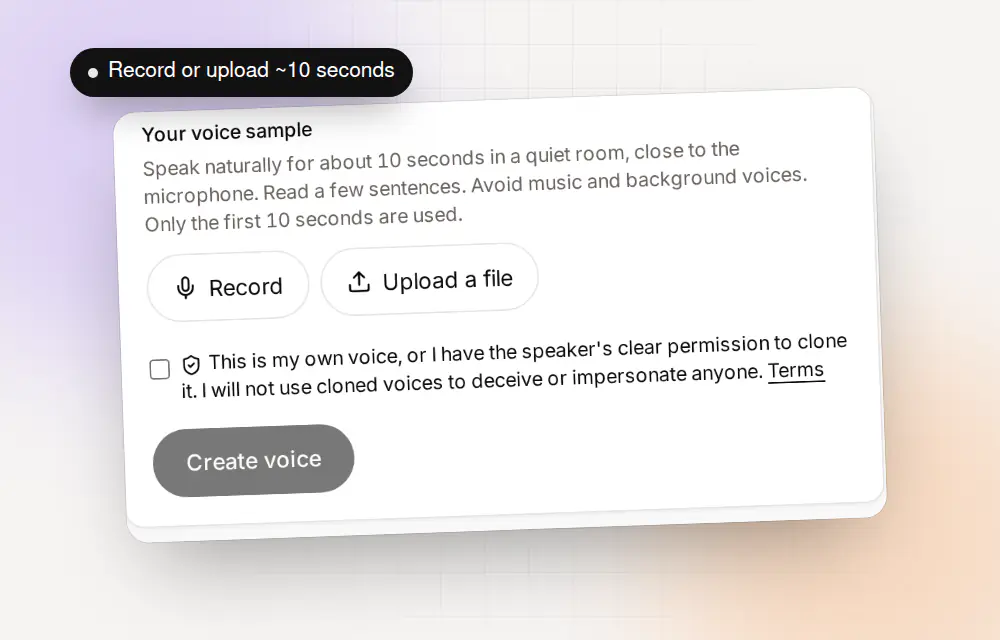
Record in the browser or upload a file. The first 10 seconds are used. Name it and confirm
Give the voice a name, choose Female or Male and confirm that it is your voice or that you have permission. Then press Create voice.
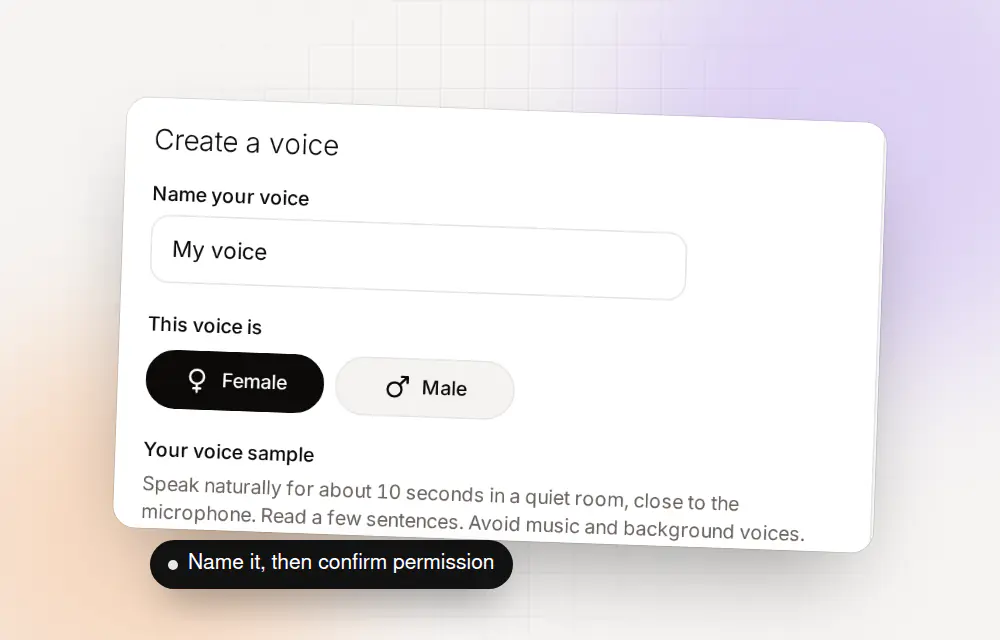
A name, a choice of Female or Male, and your confirmation.
If the upload doesn’t work
| What you see | Likely reason | What to try |
|---|---|---|
| “Only a few seconds found” | The file is short, quiet or mostly silence | Use a longer, louder part of the recording |
| The file will not open | The browser cannot decode that format | Convert it to MP3 and upload again |
| The clone sounds like two people | A second voice in the first 10 seconds | Trim the file so only you speak at the start |
| The clone sounds muffled | A distant or compressed recording | Record a fresh sample close to the microphone |
| The clone has hiss | Background noise in the file | Use a quieter recording |
Whose voice is on the file?
Files travel. A recording may hold your voice, a friend’s, a client’s. Before you clone, ask whose voice is on it. You can clone your own voice. You can clone someone else’s only if they have clearly and lawfully allowed it, and Clonylab asks you to confirm that every time.
Do not clone a voice from a public video or a stranger’s podcast. The Terms forbid using a cloned voice to impersonate anyone or to pass generated speech off as a real recording.
Where to go next
- See the full walk-through on the voice clone online page.
- Check the free limits on the free voice cloning page.
- Direct the result with the AI voiceover generator.
A worked example: from a podcast episode to a clone
Say you have a podcast episode you recorded yourself, and you want your voice in Clonylab. Here is how you would do it.
Open the episode and find a clean stretch
Skip the intro music and any guest. Find 10 seconds where only you speak, in your normal voice.
Cut that stretch into a new file
Use any audio editor or phone app. Save it as an MP3, with the speech starting right away.
Upload it in Clone
Clonylab reports how many seconds of speech it found. If it is 8 to 10, you are in a good place.
Name the voice and confirm
Choose Female or Male, confirm it is your voice and press Create voice. Then test it in the Studio.
Because the file never leaves your browser, you can use an unpublished recording without sending it anywhere.
Trimming a file without special software
| Where you are | What to use | Note |
|---|---|---|
| On a phone | The built-in voice recorder or a free audio app | Most have a trim handle |
| On a computer | A free audio editor | Export as MP3 |
| From a video | A video editor that exports audio only | Check there is no music under the speech |
You do not need to be exact. Aim for a clean start, and let Clonylab take the first 10 seconds of speech.
Questions about cloning from an MP3
Can I clone a voice from an MP3?
Yes. Open Clone, press Upload a file and choose your recording. Clonylab uses the first 10 seconds of speech, and needs at least 3 seconds.
Which file types can I upload?
The upload box accepts audio files that your browser can read, such as MP3. If a file does not open, convert it to MP3 and try again.
Is my file uploaded to Clonylab?
No. The file is decoded and used in your browser, and we never receive it.
How long does the file need to be?
It needs at least 3 seconds of speech. The first 10 seconds are used, and 8 to 10 sounds most like you.
Can I use a recording of someone else?
Only with their clear, lawful permission, which you confirm before every clone.
Can I trim the file inside Clonylab?
No. Trim it in any audio editor or phone app first so the start is clean speech.
Is cloning from a file free?
Yes, up to 3 cloned voices on the free plan. No card is needed.
Can I use a recording from a video call?
You can try one, but call recordings are often compressed, have a second voice or are thin. A fresh recording close to a microphone usually gives a better clone.
What if my file has music at the start?
Trim the file so the first seconds are speech. Music under the first 10 seconds is copied into the clone.
Does Clonylab keep my file?
No. The file is decoded and used in your browser, and we never receive it.
Why does it say only a few seconds of speech were found?
The file may be short, quiet or mostly silence. Use a longer, clearer stretch, and aim for at least 3 seconds of speech, ideally 8 to 10.
Can I upload a long recording?
Yes. Clonylab reads the start of the file and uses the first 10 seconds of speech, so trim any music or silence at the start first.
Does the file type matter?
The upload box accepts audio files your browser can read. MP3 works well.
Clone from a file you already have
Open Clone, upload your recording and name the voice. Free to start.
Sources and further reading
- MP3 (Wikipedia) · How MP3 compression works and what it trades away.
- decodeAudioData() (MDN Web Docs) · How a browser reads an audio file you upload without sending it anywhere.
Written and checked by the Clonylab team. Last updated . The screenshots were taken from the Clonylab app on that date. Read how we work on the About page, or contact us if something on this page is wrong. See also the Terms, Privacy policy and Voice licences.