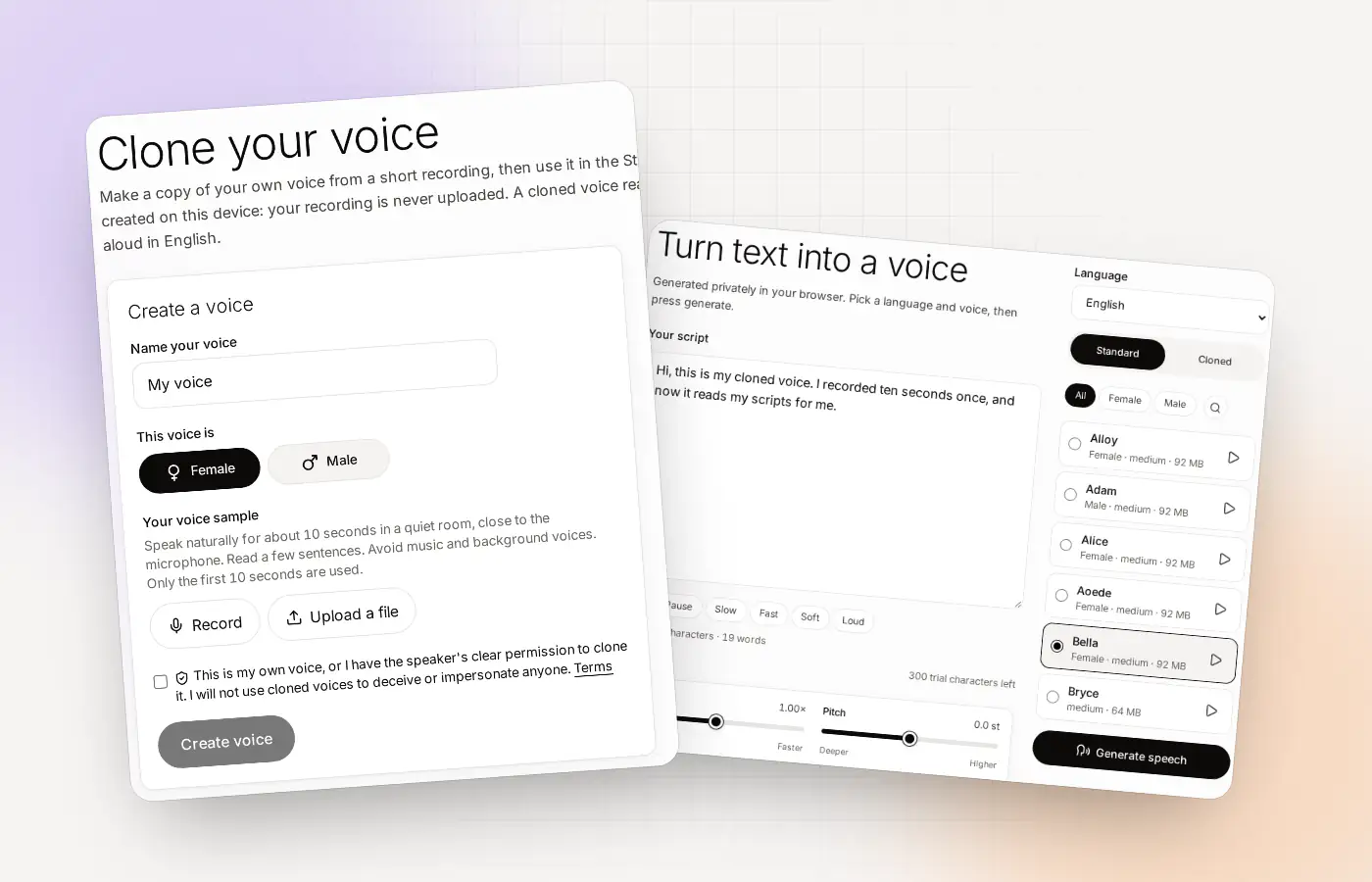
Voice cloning at a glance
| What you need | About 10 seconds of your voice (record it or upload a file) and a computer with a modern browser |
|---|---|
| What you get | A cloned voice that reads English text in the Studio, with MP3 and WAV downloads |
| Where it runs | In your own browser. Your recording is never uploaded |
| Cost to start | Free: up to 3 cloned voices and a one-time allowance of 300 characters, no card |
| Language | English only |
| Account | Required (free to create) |
| Paid plans | Pro and Team: unlimited cloned voices and characters |
Why clone your voice online
Think about the last time you recorded a voice-over. You found a quiet spot, did a take, tripped over one line, and started again. A cloned voice saves you from that loop. You write the script, press a button, and hear it read in a voice that sounds like yours.
Here’s what a clone is, in plain words: a copy of your voice, made from a short recording. It keeps the tone and pitch that make you sound like you, and it reads new text with them. It won’t copy every habit of how you talk, and the result depends on your sample. A clear recording gives you a better clone. A noisy one gives you a noisy clone.
- Creators narrate videos
- Teachers record lessons
- Small teams share one voice
How to clone your voice online in three steps
The whole process lives on one page, and you don’t install anything. Here’s how it goes.
Record or upload about 10 seconds
Open Clone and press Record. Speak naturally for about 10 seconds in a quiet room, close to the microphone. Read a few sentences from anything you like. Already have a clean recording? Upload the file instead. Only the first 10 seconds are used.
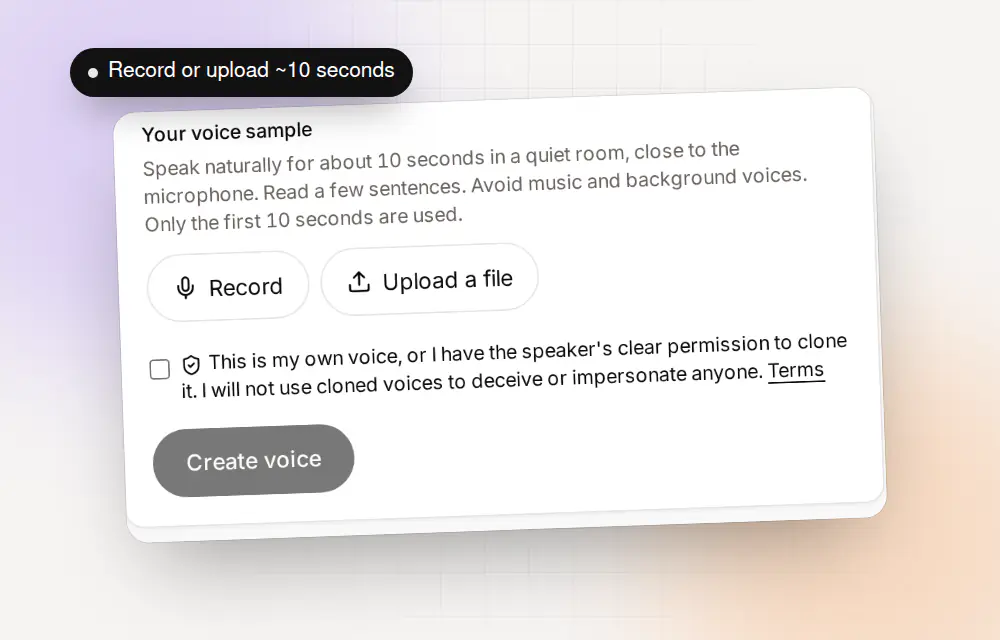
Record in the browser or upload a file. The first 10 seconds are used. Name the voice and confirm permission
Give the voice a name and choose Female or Male. Then tick the box that confirms it’s your own voice, or that the speaker has clearly and lawfully said you may clone it, and press Create voice. Clonylab builds the clone in your browser. The first time, it downloads the model files it needs, and your browser keeps them.
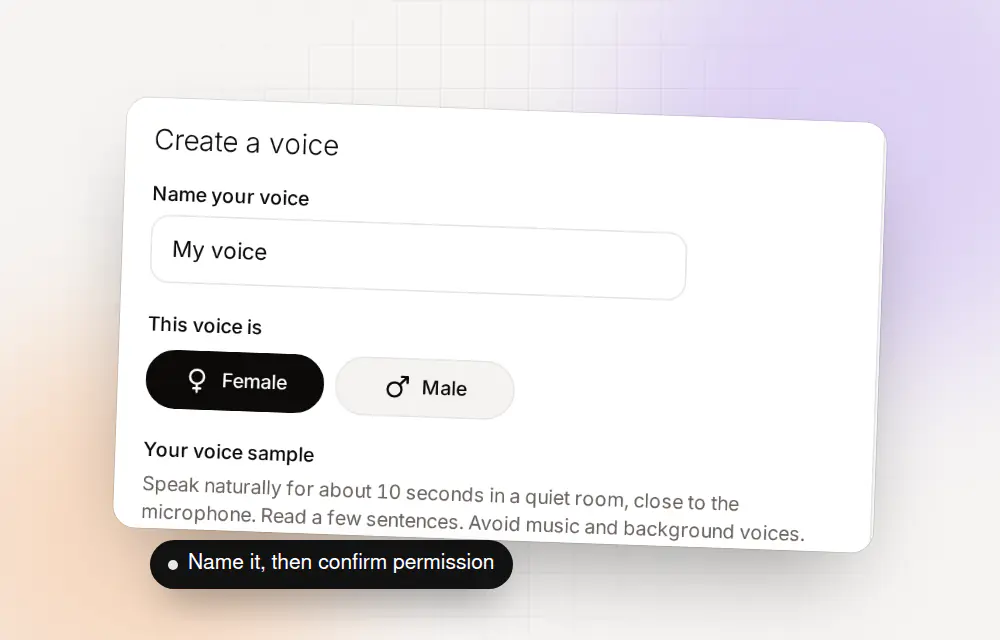
A name, a choice of Female or Male, and your confirmation. Use your voice in the Studio
Open the Studio and switch from Standard to Cloned. Pick your voice, paste an English script, and press Generate speech. Want it slower, higher or with a pause? Change the speed, pitch, sentence pause and volume, or add Pause, Slow, Fast, Soft or Loud tags right inside the script. Then download the MP3 or WAV.
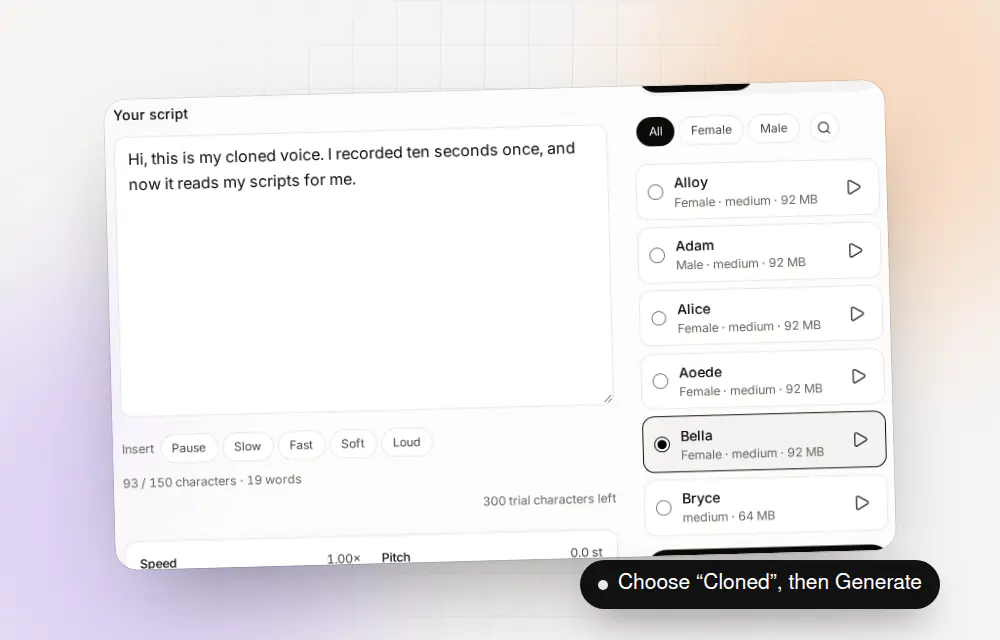
Choose Cloned, pick your voice and press Generate speech.
Why Clonylab clones in your browser
Most online voice cloners ask you to upload your recording to the company’s servers, where the clone is built and kept. Clonylab skips that step. The voice model runs in your browser, on your graphics card when it passes a quick test and on your processor when it doesn’t. Your recording and your scripts stay in your browser.
| Clonylab | Typical cloud-based cloner | |
|---|---|---|
| Where the clone is made | In your own browser | On the provider’s servers |
| Is your recording uploaded? | No | Yes |
| Where cloned voices are kept | In your browser | In your account on the provider’s servers |
| Waiting in a queue | None, because your browser does the work | Depends on the provider |
| Speed | Depends on your computer | Depends on the provider |
| First use | Downloads the model files once | Nothing to download |
| After the files are downloaded | Voices you already downloaded can make speech again, even offline | Needs a connection |
There’s a trade-off, and we’d rather tell you now. On a slow computer, a voice-over takes longer than it does on a fast one. Your cloned voices live in your browser, so clearing your site data removes them. Keep your original recording, and you can make the voice again whenever you need it.
How to record a sample that clones well
Your clone is only as good as your sample, so a little setup pays off. These tips come from the instructions on the Clone page and from what makes any recording clean.
| Tip | What to do | Why it helps |
|---|---|---|
| Quiet room | Close the window, switch off fans and screens that hum | Background noise gets copied into the voice |
| Close to the microphone | About a hand’s width away, speaking across it | A close voice is clear and loud enough |
| Natural pace | Read a few ordinary sentences as you would say them to a friend | The clone follows your normal way of speaking |
| One voice only | No music, no other people talking | Only the first 10 seconds are used, so they must all be you |
| Best speech first | Start with the clearest part, with no long silence | The first 10 seconds are the ones that count |
What to make with your cloned voice
Anywhere you’d otherwise record yourself again and again, a cloned voice helps. Everything below is spoken in English, because Clonylab is English only.
| Use | What you write | Why a cloned voice helps |
|---|---|---|
| Video voice-over | A narration script for a YouTube video or a product demo | Fix a line by changing the text, not by recording again |
| Podcast intros and ads | A short intro or a sponsor read | The same voice every episode, without a recording session |
| Online course lessons | One script per lesson | Update a lesson later by editing the script |
| Explainer and training videos | Step-by-step instructions | Consistent narration across many videos |
| Drafts of longer audio | A chapter or an article read aloud | Hear how it sounds before you decide to record it yourself |
- VideoNarration and demos
- PodcastIntros and ad reads
- CourseOne script per lesson
- DocumentArticles read aloud
What voice cloning costs
You can try the whole flow before you pay anything. The free trial needs an account, and no card.
| Plan | Cloned voices | Characters | Price |
|---|---|---|---|
| Trial | Up to 3 | 300, one time | Free, no card |
| Pro | Unlimited | Unlimited | ₹499 a month (US$6 a month outside India) |
| Team | Unlimited | Unlimited | ₹899 a month (US$10 a month outside India), with up to 5 invited seats |
Pro and Team also include the AI connection (MCP), so apps like Claude and Cursor can use your voices to make speech. One thing to know: the connection can use a clone you’ve already made, but it can’t create one. You always make the clone yourself on the Clone page. The pricing page shows the current prices and the yearly option.
Who it is for, and who it is not for
Clonylab is a good fit if you make English voice-overs and want them in your own voice, if you want your recordings to stay in your browser, or if you write a lot of scripts and don’t want to book recording time for each one.
It’s not the right tool if you need another language, because Clonylab is English only. It won’t turn someone else’s recording into a clone without their permission, and it won’t help you impersonate anyone. On a very old computer, voice-overs can be slow.
Consent and safe use
Clone your own voice, or a voice whose speaker has clearly and lawfully said yes. Clonylab asks you to confirm that before every clone, and the Terms forbid using a cloned voice to impersonate anyone, to deceive people, or to pass generated speech off as a real recording of a real person. What you make with a cloned voice is your responsibility.
The standard voices that come with Clonylab are licensed for commercial use. You can read each licence on the Voice licences page, and see how your data is handled in the Privacy policy.
Questions about cloning your voice
Can I clone my voice online for free?
Yes. A free Clonylab account lets you clone up to 3 voices and gives you a one-time allowance of 300 characters to try them. No card is needed. Pro and Team remove the limits.
Is my recording uploaded to a server?
No. The clone is made inside your browser in your own browser, and your recording is never uploaded. Your cloned voices are kept in your browser.
How long should the voice sample be?
About 10 seconds. Only the first 10 seconds are used, so start with the clearest speech and avoid long silences, music or other voices.
Can I clone someone else’s voice?
Only if the speaker has clearly and lawfully given you permission. You confirm this before every clone, and the Terms forbid impersonation and deception.
Does voice cloning work in languages other than English?
No. Clonylab is English only, and a cloned voice reads English text.
Can I download the audio?
Yes. You can download every voice-over as MP3 or WAV.
What happens to my cloned voices if I clear my browser data?
They can be removed, because they are stored in your browser. Keep your original recording so you can create the voice again.
Do I need a powerful computer?
No, but a faster computer makes voice-overs faster. Clonylab uses your graphics card when it passes a one-time test and your processor otherwise.
Clone your voice now
Ten seconds of speech, a name and one click. Free to start, and your recording stays in your browser.
Sources and further reading
- MediaRecorder API (MDN Web Docs) · How a browser records audio from your microphone.
- WebAssembly (MDN Web Docs) · How a browser runs a model on your own processor.
- Kokoro-82M model card (Hugging Face) · The voice model Clonylab’s standard voices run on, with its Apache 2.0 licence.
Written and checked by the Clonylab team. Last updated . The screenshots were taken from the Clonylab app on that date. Read how we work on the About page, or contact us if something on this page is wrong. See also the Terms, Privacy policy and Voice licences.