
The short answer
To add text to speech to Claude Code, create a token on Clonylab’s Connector screen and run one command: claude mcp add --transport http clonylab https://clonylab.com/mcp with your token in an Authorization header. Claude Code then gets 14 voice tools. Keep your Clonylab tab open. It needs Pro or Team.
Key takeaways
- One command adds Clonylab to Claude Code: claude mcp add --transport http clonylab https://clonylab.com/mcp with your token in an Authorization header.
- Claude Code then gets 14 tools. It can list voices, make a voice-over, check progress and save the MP3.
- Use the local or user scope for the token. A project scope saves it in a file you may commit.
- The voice-over is made in your open Clonylab tab, so keep the tab open and the browser switch on.
- The AI connection is part of Pro and Team. It is English only, and Claude cannot create a cloned voice.
01What you get with Claude Code text to speech
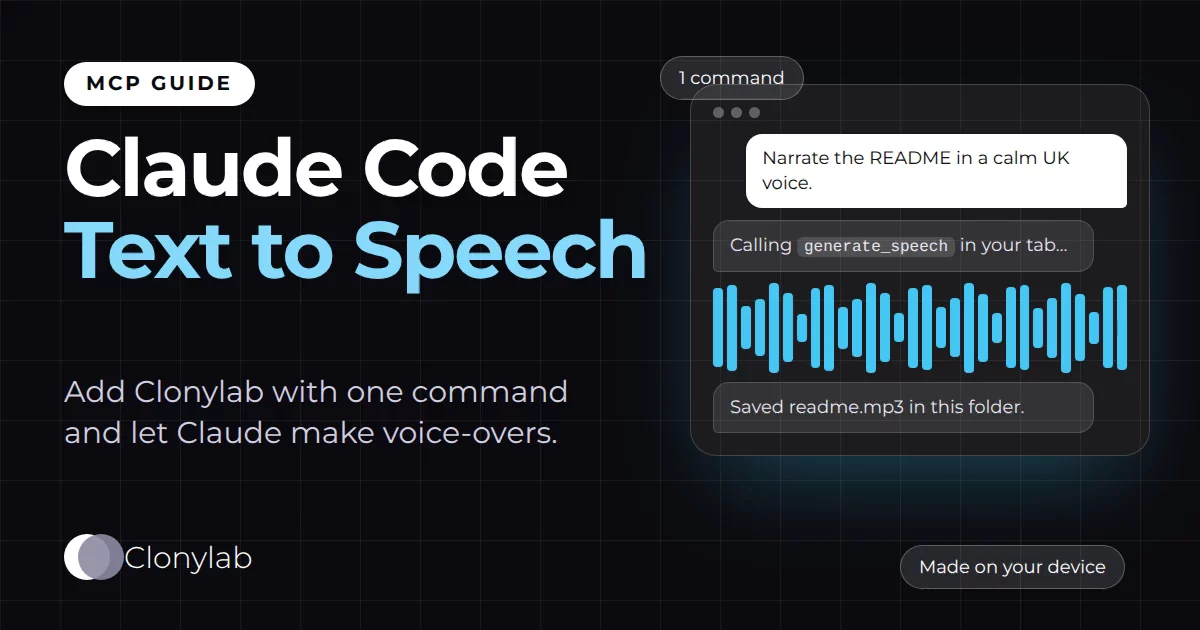
Claude Code lives in your terminal. It reads your files, runs commands and writes code. It does not speak. That changes the moment you add a text to speech MCP server. One command gives Claude Code a set of voice tools, and from then on you can type things like “narrate the README in a calm UK voice” and get an MP3 back.
Clonylab’s MCP server gives Claude Code 14 tools. Claude can list voices, make a voice-over, watch its progress, find old ones in your History and fetch the finished MP3. If you want the full picture of those tools first, read our guide to the text to speech MCP server. This page is the Claude Code version: the exact command, what each part means, and the small details that save you time.
We use this setup ourselves. The voice lines in Clonylab’s own video ads were made from a Claude Code session, with Claude writing the lines, calling the tools and saving the MP3 files into the project folder.
02Before you start
You need four things. None of them take long, and the last two are easy to forget.
| Need | Details |
|---|---|
| Claude Code | Installed and signed in. Run claude in a terminal to check. |
| A Clonylab plan | The AI connection is part of Pro and Team. The free trial does not include it. |
| A token | Made on the Connector screen. It starts with swr_ and is shown only once. |
| An open Clonylab tab | Voices are made in your browser tab, so keep it open while Claude works. |
Claude Code also supports signing in to remote servers that use OAuth, through the /mcp menu. The Connector screen recommends a token for terminal tools, because it is one command and it shows you exactly what the tool will send. That is the path this guide follows.
03Add Clonylab to Claude Code in 4 steps
Open the Connector screen and copy your address
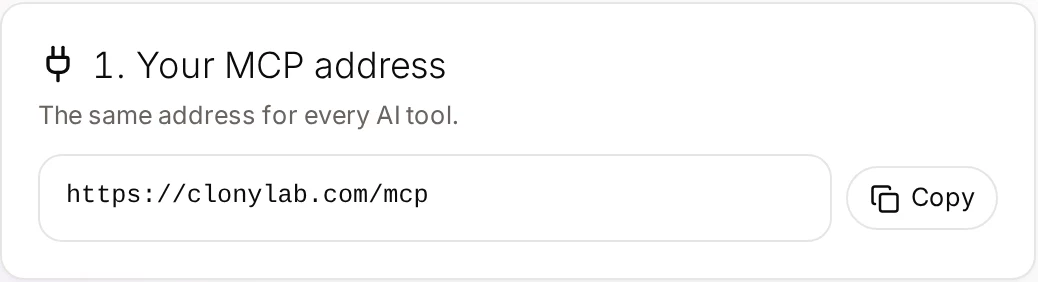
Sign in to Clonylab and open Connector in the side menu. The first card shows your MCP address, https://clonylab.com/mcp. It is the same for every AI tool.
Create a token for Claude Code
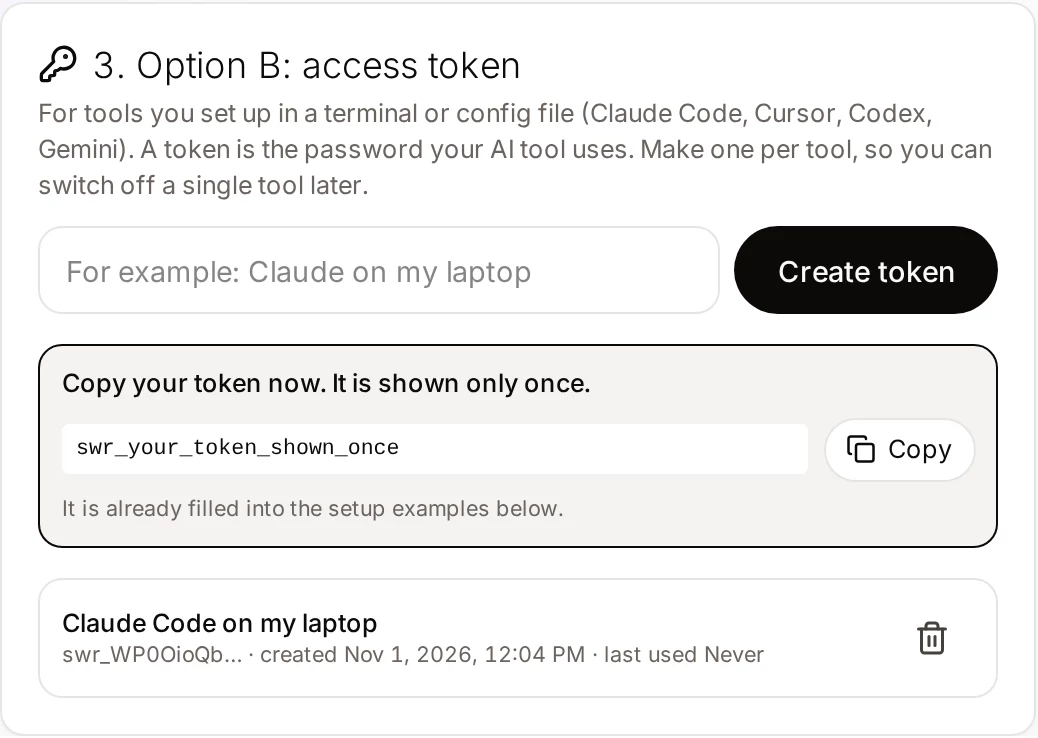
Give the token a name such as “Claude Code on my laptop”, press Create token and copy it. You can make up to 10 tokens, so make one per tool. Then you can switch off a single tool without touching the others.
Run the command
Paste this into your terminal, with your own token in place of YOUR_TOKEN. The Connector screen shows the same line with your token filled in.
claude mcp add --transport http clonylab https://clonylab.com/mcp --header "Authorization: Bearer YOUR_TOKEN"
Allow your browser tab
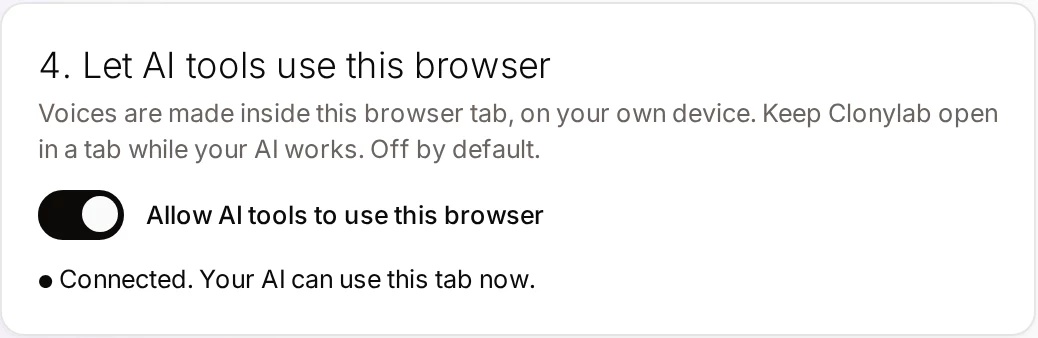
Switch on Allow AI tools to use this browser and keep Clonylab open in a tab. When the card says Connected, you are ready.
04What the command means
The command has five parts. Knowing them helps when you want to change something later.
Claude Code has three scopes. Local is the default: the server is yours and works only in the current project. User makes it available in all your projects. Project writes a .mcp.json file in the project so the whole team gets it through version control.
A project-scope server is saved in a file you may commit. Your token would end up in your repository. Use the local or user scope for Clonylab, for example by adding --scope user to the command.
| Command | What it does |
|---|---|
claude mcp list | Lists every server you have added, with its status |
claude mcp get clonylab | Shows the details of the Clonylab server |
claude mcp remove clonylab | Removes the server from Claude Code |
/mcp | Inside a session: shows server status and lets you disable a server |
Claude Code’s own documentation marks the older SSE transport as deprecated and recommends HTTP servers. Clonylab’s server is an HTTP server, so --transport http is the right choice.
05Your first voice-over from Claude Code
Start Claude Code in any folder and ask for something small. Claude will ask your permission before it uses a tool for the first time, which is a good moment to read what it plans to do.
Check that Clonylab is connected, then list the UK male voices.Uses connection_status and list_voices.
Read README.md and write a 40-second narration script. Make it in a calm US female voice and save the MP3 as intro.mp3 in this folder.Uses generate_speech, get_job and get_audio. Claude downloads the link with curl.
Turn the three commit messages from today into a short changelog voice-over with a one-second pause between them.Adds [pause 1s] tags between the lines.
Make the voice-over again, a little slower, and keep the old one.Uses the speed setting. Nothing is deleted unless you ask.
When the job finishes, Claude gets a download link that works for 30 minutes and saves the MP3 where you asked. Short clips under 1 MB also come back as audio inside the tool result.
06Tips that save time in Claude Code
- Name the folder. Say where the MP3 should go, such as “save it in ./audio”. Claude can then use the file in your next step.
- Batch inside one request. Ask Claude to loop over a list of scripts. It will queue them one after another in your tab. Our guide on automating voice-overs with AI goes deeper.
- Let Claude pick the voice by rule. “Use a US female voice for the intro and a UK male voice for the outro” works, because list_voices can filter by gender and language.
- Use script tags.
[pause 1s],[slow],[fast],[soft]and[loud]work in the text you send, exactly as in the Studio. - Check with /mcp. If a tool call fails,
/mcpshows whether Claude Code still sees the server.
07Keep your token safe
A token is a password for your Clonylab AI connection. Treat it like one. Anyone who has it can ask Clonylab to make voice-overs in your open tab, so keep it out of places other people can read.
If you think a token leaked, open the Connector screen and delete it. The tool using it stops working right away, and you can create a new one in seconds.
08If something goes wrong
| What you see | Likely cause | What to do |
|---|---|---|
| Claude says no browser tab is connected | The Clonylab tab is closed, asleep, or the switch is off | Open Clonylab, sign in and switch on “Allow AI tools to use this browser” |
| The server shows as failed in /mcp | A typo in the address or the token | Run claude mcp remove clonylab and add it again with a fresh token |
| Unauthorized or 401 errors | The token was deleted or copied with spaces | Create a new token and use it in the command |
| The tool call waits and then says the job is still running | A long script takes longer than the first wait | Ask Claude to check the job again with get_job |
| It works in one folder only | The server was added with the local scope | Add it again with --scope user |
We wrote the command and the scope notes from Claude Code’s current documentation on 1 November 2026, and we use the same connection in our own Claude Code sessions. Menus and flags in AI tools change often. If a flag does not match your version, run claude mcp add --help.
09Limits, and when to use the Studio instead
| Topic | What to know |
|---|---|
| Plan | Pro or Team |
| Language | English only, with US and UK voices |
| One request | Up to 10,000 characters of text per generate_speech call |
| Browser | The Clonylab tab must stay open. Claude cannot make audio without it |
| Cloned voices | Claude can use clones you made. It cannot create one. See voice clone MCP |
| Download links | An MP3 link works for 30 minutes |
The Studio is still the best place when you want to listen and adjust one voice-over by ear. Claude Code is the better place when the voice-over is one step in a bigger job that your code or your files drive. Many people use both: draft in the Studio, repeat in Claude Code.
| Studio by hand | Claude Code | |
|---|---|---|
| Best for | One voice-over you tune by ear | Voice-overs inside a coding or writing task |
| Setup | None | One command, once |
| Saves files for you | No | Yes |
| Needs the tab open | You are in it | Yes |
Ready to try it? Pick a plan, open the Connector screen and run the command. The AI voiceover generator page lists every script tag you can use.
10Questions and answers
How do I add text to speech to Claude Code?
Create a token on the Clonylab Connector screen, then run claude mcp add --transport http clonylab https://clonylab.com/mcp --header "Authorization: Bearer YOUR_TOKEN". Switch on Allow AI tools to use this browser and keep Clonylab open in a tab.
Does Claude Code have a built-in voice?
No. Claude Code works with text and files. Adding a text to speech MCP server such as Clonylab gives it tools to make audio.
Which scope should I use for the token?
Use the local scope, which is the default, or the user scope. The project scope writes a .mcp.json file that you may commit to version control, and your token would be in it.
Can Claude Code save the MP3 into my project?
Yes. Clonylab gives Claude a download link that works for 30 minutes, and Claude can save it with a command such as curl into the folder you name.
Do I need to keep Clonylab open?
Yes. The voice-over is made in your open Clonylab browser tab on your own device. Keep the tab open and switch on Allow AI tools to use this browser.
Is it free?
You can try the Studio and cloning on the free trial. The AI connection that Claude Code uses is part of the Pro and Team plans.
Ready to let your AI make the voice-overs?
Start free with the Studio and cloning, then add Pro when you want the AI connection. English only, no card to start.
Keep reading
Sources and further reading
- Connect Claude Code to tools via MCP (Anthropic) · The claude mcp add command, the three scopes and the mcp list, get and remove commands.
- Model Context Protocol: introduction · The official explanation of MCP and what it is for.
- Model Context Protocol specification · The rules that AI apps and servers follow, including the HTTP transport.
- Model Context Protocol (Wikipedia) · A neutral overview of how MCP began and how it is used.
Last updated . The screenshots come from the Clonylab Connector screen, with the address and the token replaced by the real address and a placeholder. App and tool settings change often: if a step does not match your version, trust the Connector screen in your account.