
The short answer
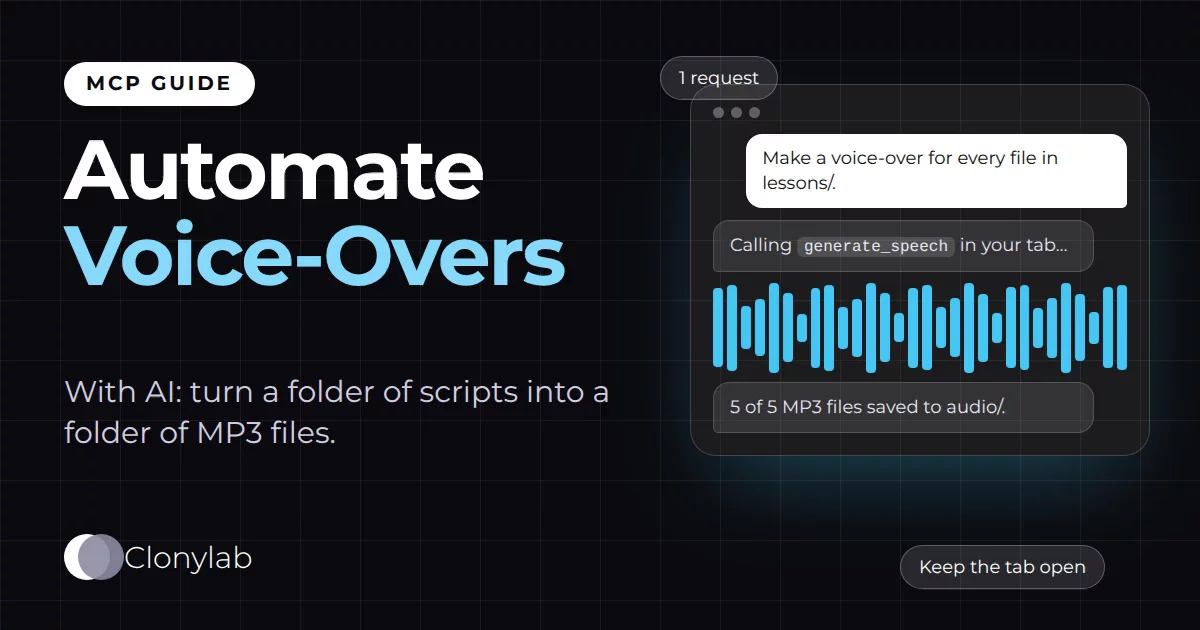
To automate voice-overs with AI, connect an AI agent to Clonylab’s MCP server and ask it to make a voice-over for every script file in a folder. The agent sends each script, waits for the job and saves the MP3. Your Clonylab tab must stay open for the whole batch. Each request takes up to 10,000 characters. It needs Pro or Team.
Key takeaways
- Put one script per file in a folder and ask your AI agent to make a voice-over for each one.
- The agent sends each script with generate_speech, waits with get_job and saves the MP3 from get_audio.
- Your Clonylab tab makes every voice-over, so keep it open and the computer awake for the whole batch.
- One request takes up to 10,000 characters, and a download link works for 30 minutes.
- Run a test of two files first. The AI connection is part of Pro and Team, and it is English only.
01How to automate voice-overs with AI
You have a folder of scripts. Maybe it is twenty lesson texts, a stack of product descriptions or a season of short video scripts. You want an audio file for each one. Doing that by hand means opening each script, pasting it, picking the voice, pressing Generate and saving the file. Twenty times.
You can hand that loop to an AI agent instead. The agent reads the folder, sends each script to Clonylab through MCP, waits for each job and saves each MP3 under a clear name. You write one request. The agent repeats the steps.
This guide shows how to set that up, what the agent does at each step, and the limits that decide how big a batch can be. It builds on the text to speech MCP server guide, so connect your AI app first. Then come back here.
02What you need before a batch
| Need | Why |
|---|---|
| An AI app that can read files and run commands | Claude Code, Codex CLI, Cursor, Gemini CLI, Windsurf and Cline can. See our AI agents guide |
| A Clonylab plan with the AI connection | Pro or Team. See pricing |
| An open Clonylab tab | Every voice-over is made in your browser tab, so the tab must stay open for the whole batch |
| A computer that stays awake | If the computer sleeps, the tab may stop answering |
| Scripts in plain text files | One script per file, each under 10,000 characters |
03Set up your folder
Keep the layout simple. One script per file, named so the MP3 can take the same name. Plain text or Markdown files both work, because the agent reads them as text.
lessons/
  01-welcome.txt
  02-setup.txt
  03-first-project.txt
  04-troubleshooting.txt
  05-next-steps.txt
audio/            <- the agent saves the MP3 files here
If you want different voices for different files, add a small list. A text file with one line per script is enough:
01-welcome        US female, calm
02-setup          US female, calm
03-first-project  UK male, warm
04-troubleshooting UK male, warm
05-next-steps     US female, calm
Script tags go inside the files. [pause 1s] after a heading, [slow] for a key sentence and [VoiceName] to change voice partway through all work the same way as in the Studio.
04The request that runs the batch
A clear request names the folder, the voice rule, the output folder and what to report. Here are three examples, from simple to careful.
Check that Clonylab is connected. Then, for every file in lessons/, make a voice-over in a calm US female voice and save it as audio/<same name>.mp3. List the files you made when you are done.The basic batch.
Use voices.txt to pick the voice for each lesson. Make the first two now and stop, so I can listen before you do the rest.A small test run first. Good while you are still tuning.
Skip any lesson that already has an MP3 in audio/. If a job fails, note the file name and keep going.Makes a second run safe and tells you what failed.
05What happens inside the tab
Your Clonylab tab keeps a queue of jobs. The agent sends a script, the tab starts a job and the job moves through its steps. When it is done, the agent fetches the MP3. The job statuses are the real ones: queued, downloading, generating, done, error and cancelled.
We do not give a speed in minutes per script, because it depends on your device and the length of the script. A short test run of two files tells you how your own computer behaves.
06The limits that decide your batch size
A batch has no fixed maximum, but several limits shape how you run it.
| Limit | What to know | What to do |
|---|---|---|
| 10,000 characters per request | One generate_speech call takes up to 10,000 characters | Split longer scripts into parts that end at a natural break |
| The tab must stay open | Voices are made in your open Clonylab tab | Keep the tab open and the computer awake until the batch ends |
| 30-minute download links | A get_audio link works for 30 minutes | Ask the agent to download each file as soon as it is done |
| The agent’s own time limits | Some apps cut a tool call after a set time | Use get_job to check a job again. See our Codex guide for one example |
| History is kept in your browser | Every voice-over is saved to your History in this browser | Keep the MP3 files you need. History does not follow you to another device |
07Check the result
When the agent says it is finished, check three things. Count the MP3 files against your scripts. Open two or three and listen, one from the start, one from the middle and one near the end. Then ask the agent for a short report: file name, voice, length and any failures.
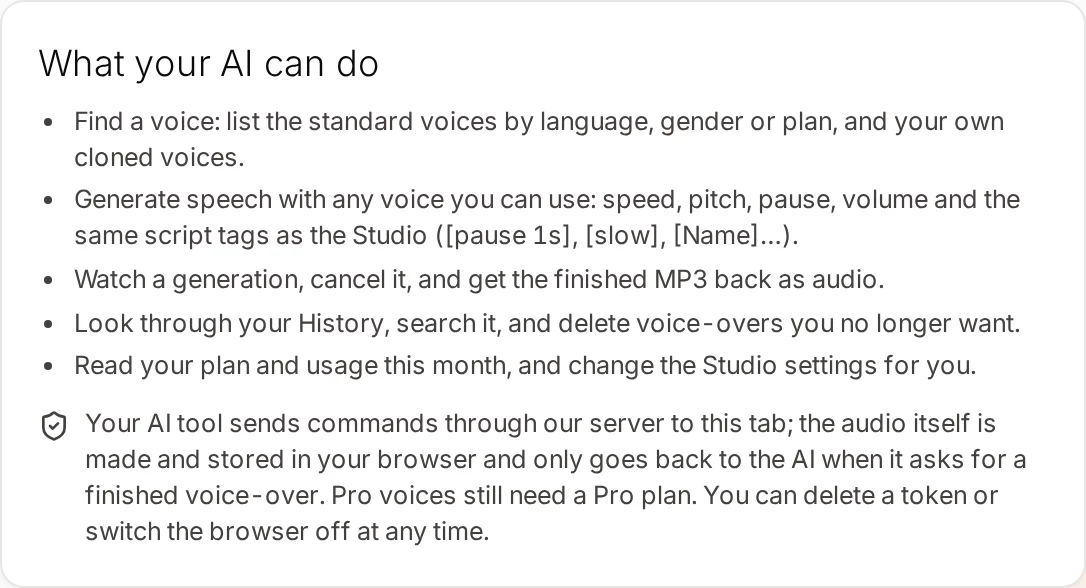
You can also ask for a usage summary. usage_summary shows characters, number of voice-overs and audio minutes over the last 7, 30 or 90 days, so you see what the batch used. On Pro and Team the character count is unlimited.
A short report is the easiest way to see what happened. Ask for it in the same request, so the agent keeps notes as it goes.
| Column | Why you want it |
|---|---|
| File name | Matches each MP3 to its script |
| Voice used | Catches a file that got the wrong voice |
| Length in seconds | Shows a clip that is far too short or too long |
| Status | Done, failed or skipped, so you know what to redo |
If part of a batch fails, for example because the tab was closed, ask the agent to run only the files that have no MP3 yet. The request that skips existing files makes this safe. Your History in Clonylab also lists every voice-over that finished, so nothing is lost.
08Connect your AI app first
The batch needs the connection from the first guide. If you have not done it yet, switch on the browser permission and keep the tab open.
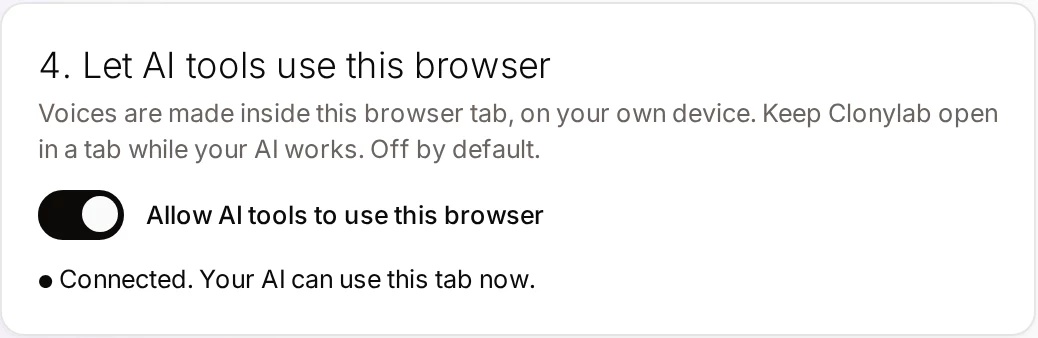
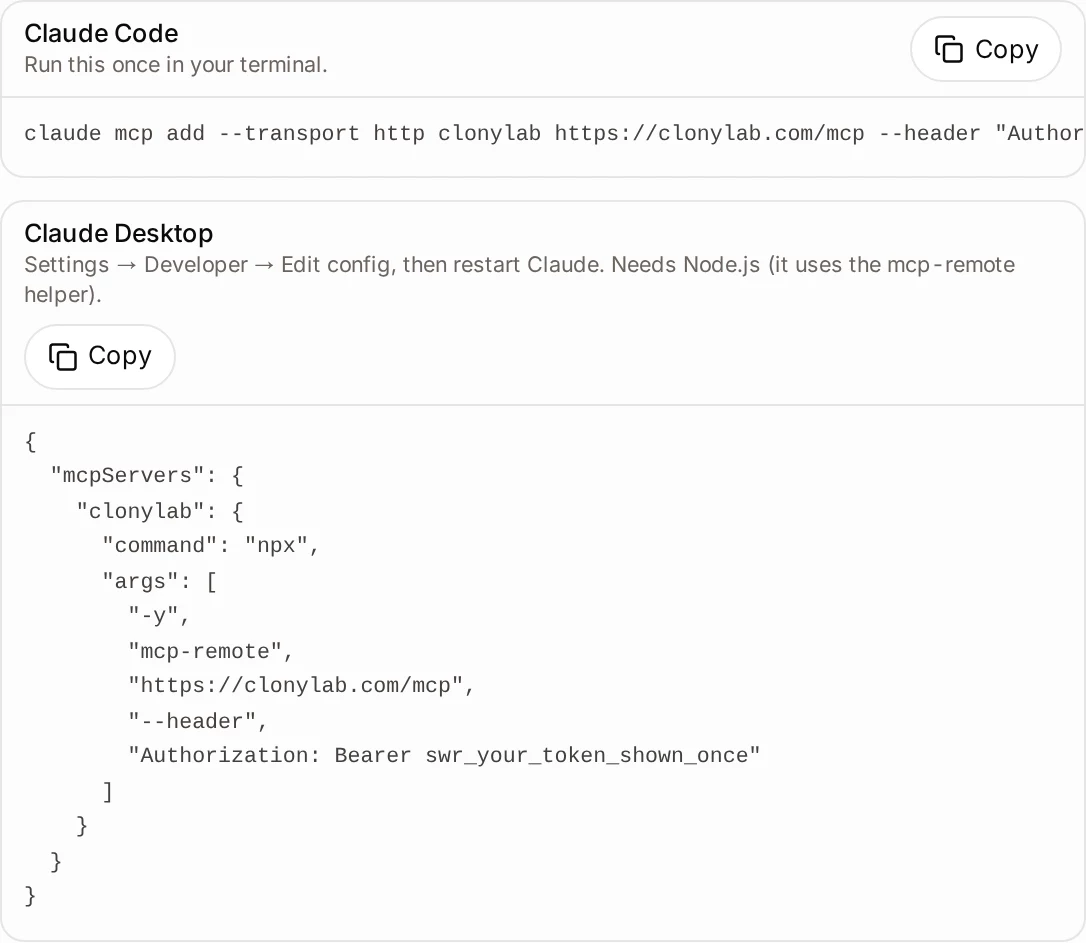
Step-by-step guides: Claude Code, Codex CLI, Cursor and Gemini CLI.
Run one batch per Clonylab tab. Several agents sending jobs to the same tab make it hard to tell which MP3 belongs to which run.
09Batch or the Studio?
| Studio by hand | AI batch | |
|---|---|---|
| Best for | A few clips you tune by ear | Many scripts that need the same treatment |
| Names and saves files for you | No | Yes |
| Retries failed items | No | Yes |
| Needs the tab open | You are in it | Yes, for the whole batch |
| Plan | Trial, Pro or Team | Pro or Team |
For one clip you want to hear and adjust, the Studio is better. For a folder, let the agent do the loop. The text to speech MP3 page explains the files you get.
10Questions and answers
How do I automate voice-overs with AI?
Connect an AI agent to Clonylab’s MCP server, put one script per file in a folder and ask the agent to make a voice-over for each file and save the MP3 files. Keep your Clonylab tab open while it works.
Can I make many voice-overs at once?
Your agent sends the scripts one after another and your Clonylab tab keeps a queue of jobs. There is no fixed batch maximum, but the tab must stay open and each request is limited to 10,000 characters.
What happens if the computer goes to sleep?
The tab may stop answering and the agent will report that the browser tab did not answer in time. Keep the computer awake until the batch ends, then ask the agent to continue.
How long do download links last?
A link from get_audio works for 30 minutes. Ask the agent to download each MP3 as soon as its job is done.
Can I use a different voice for each script?
Yes. Name the voice for each file in your request or in a small list, or use the [VoiceName] tag inside a script to change voice partway through.
Is it free?
The free trial lets you try the Studio and cloning. The AI connection that agents use is part of the Pro and Team plans, which have unlimited characters.
Ready to let your AI make the voice-overs?
Start free with the Studio and cloning, then add Pro when you want the AI connection. English only, no card to start.
Keep reading
Sources and further reading
- Model Context Protocol: introduction · The official explanation of MCP and what it is for.
- Model Context Protocol specification · The rules for tools that agents call.
- Connect Claude Code to tools via MCP (Anthropic) · How an agent app adds an MCP server so it can run a batch.
- Model Context Protocol (Wikipedia) · A neutral overview of how MCP began and how it is used.
Last updated . The screenshots come from the Clonylab Connector screen, with the address and the token replaced by the real address and a placeholder. App and tool settings change often: if a step does not match your version, trust the Connector screen in your account.