
The short answer
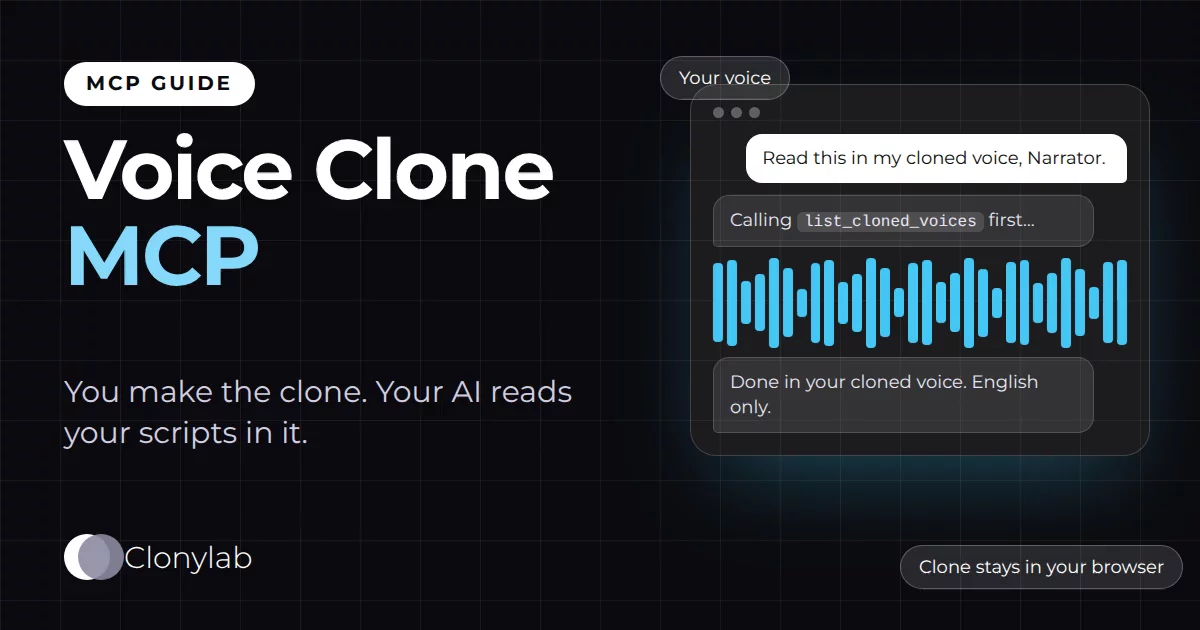
A voice clone MCP lets an AI app read English scripts in a voice you cloned yourself. You create the clone on Clonylab’s Clone screen from about 10 seconds of speech. Your AI then finds it with list_cloned_voices and uses it with generate_speech. The AI cannot create a clone. It needs Pro or Team.
Key takeaways
- You create the clone on the Clone screen from about 10 seconds of speech. Your AI cannot create one.
- Your AI finds your clone with list_cloned_voices and reads scripts in it with generate_speech.
- Cloned voices live in your browser, so the Clonylab tab must be open and connected.
- Clones read English only. Use your own voice or a voice you have clear permission to clone.
- The AI connection is part of Pro and Team. The free trial keeps up to 3 clones for use in the Studio.
01What a voice clone MCP does
A voice clone MCP lets an AI app read scripts in a voice you cloned yourself. You make the clone in Clonylab from a short recording of your voice. After that, an AI app connected through MCP can find your clone, pick it by name and use it to read any English script you give it.
Be exact about the split, because it matters. You create the clone. Your AI uses it. The AI cannot make a new clone. Clonylab’s MCP tools list your cloned voices and read text with them. Creating a clone takes a recording and your confirmation on the Clone screen, and that part stays with you.
Why does that help? Think of a creator who writes a script every week. The script comes from an AI chat, the voice comes from a cloned copy of their own voice, and the MP3 comes back in the same chat. No copy and paste, and no recording session for every line.
02Who does what: you and your AI
| Action | You on the Clone screen | Your AI through MCP |
|---|---|---|
| Create a clone from a recording | Yes | No |
| List your cloned voices | Yes | Yes, with list_cloned_voices |
| Read a script in a clone | Yes | Yes, with generate_speech and the clone’s id |
| Delete a clone | Yes | No |
The last row is worth a pause. Clonylab’s MCP tools can delete voice-overs from your History when you ask. They cannot delete or edit your cloned voices. Those stay under your control.
03Step 1: make the clone yourself
This part is the same as on the voice clone online page. It takes a few minutes.
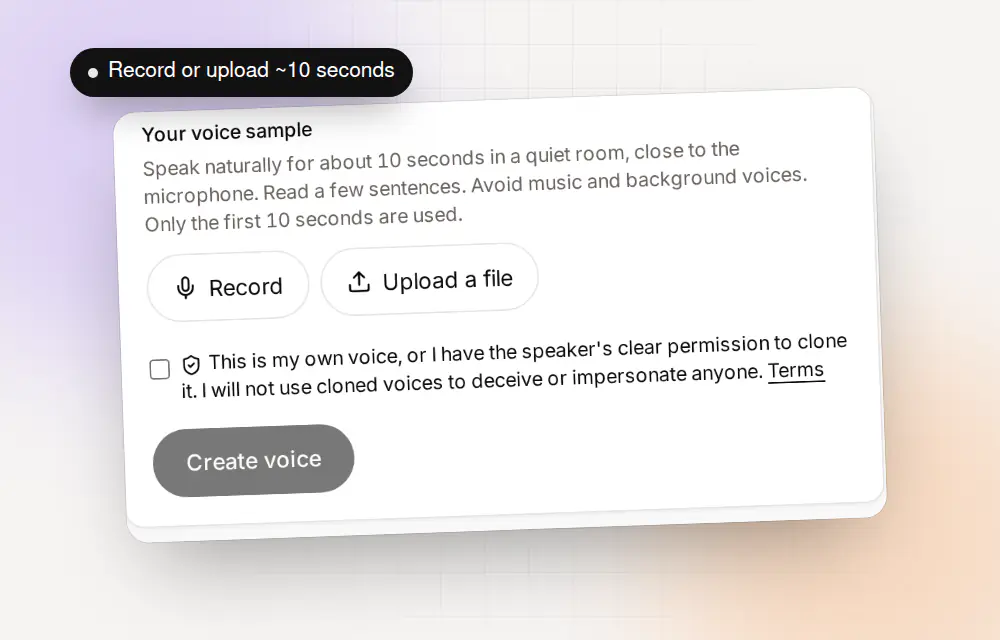
Record or upload about 10 seconds
Open Clone. Press Record and read a few sentences in a quiet room, or upload an audio file. Only the first 10 seconds are used. Your recording is never uploaded: the clone is built in your browser.
Name the voice and confirm permission
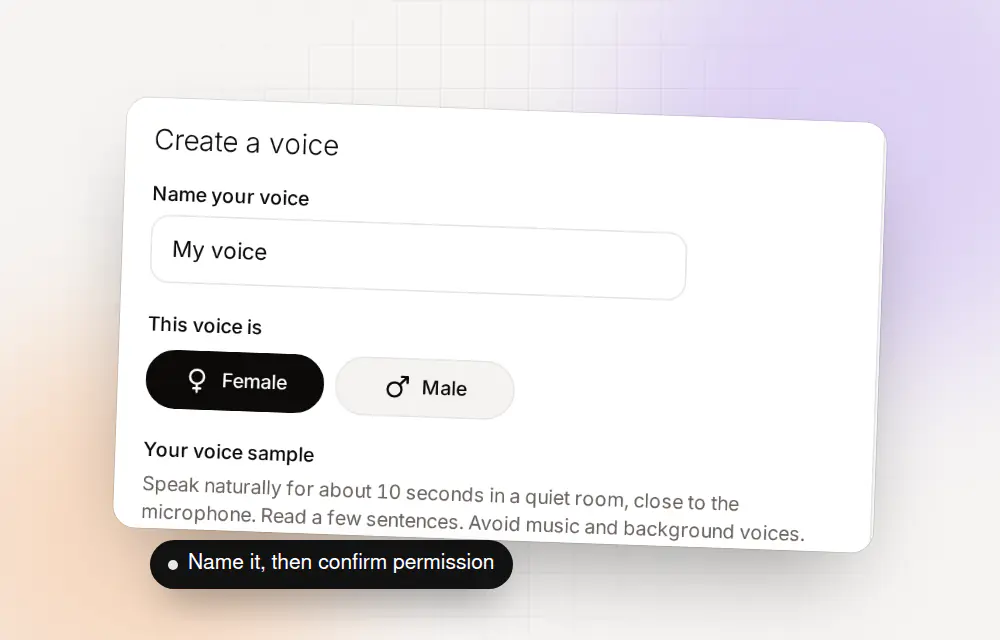
Give the voice a clear name, such as “Narrator”. Choose Female or Male and tick the box that says the voice is your own, or that you have the speaker’s clear permission. Then press Create voice.
A good clone starts with a good sample. The same advice applies whether you record or upload, and it decides how your AI will sound later.
| Do this | Why it helps |
|---|---|
| Record about 10 seconds | Clonylab needs at least 3 seconds of speech and uses the first 10. Eight to ten sounds most like you |
| Use a quiet room | Hiss, echo and fans are copied into the clone |
| Speak the way you normally do | The clone copies your pace and tone, so read as if you were talking to a friend |
| Keep one voice only | A second voice in the first 10 seconds is copied into the result |
| No music behind you | Music and sound effects make the clone sound muddy |
If a clone sounds off in the Studio, it will sound off through MCP too. Record it again before you hand it to your AI. You can keep up to 3 on the free trial, so a second try costs nothing.
The free trial keeps up to 3 cloned voices. Pro and Team have no limit. The AI connection itself is part of Pro and Team.
04Step 2: connect your AI app
Connect your AI app the way that suits it. The first guide, text to speech MCP server, covers both ways. Our app guides give the exact steps for Claude Code, Claude Desktop, Cursor, Codex CLI and Gemini CLI.
05Step 3: ask your AI to use your voice
Your clone has a name and an id. The AI finds both with list_cloned_voices. After that it passes the id to generate_speech as voice_id. You do not need to type the id yourself. Name the voice in your request and the AI does the lookup.
List my cloned voices in Clonylab.Uses list_cloned_voices. The tab must be open, because clones live in your browser.
Read the script below in my cloned voice called Narrator and give me the MP3 link.Uses list_cloned_voices, generate_speech and get_audio.
Make the intro in my cloned voice and the sponsor line in a standard UK male voice.The script tag [VoiceName] can switch voices partway through.
Read it again in my voice, a bit slower, with a one-second pause after the title.Sets the speed and adds a [pause 1s] tag.
English is the only language your cloned voice reads. If you ask for another language, expect the result to be wrong. Keep scripts in English.
Name each clone so your AI can match it from a plain request. “Narrator” and “Podcast host” are easy to find. “Test 3” is not. If you have more than one clone, ask your AI to list them first and to confirm which one it will use before it starts.
06Where your clone lives, and why that matters
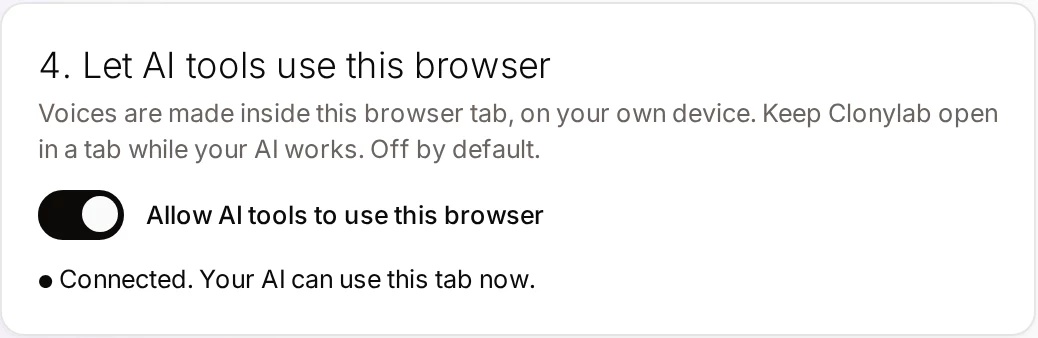
A cloned voice in Clonylab lives in your browser, on your own device. That is also why the AI connection needs your open tab. The server does not hold your clone. It passes the command to your tab, and your tab uses the clone to make the audio.
| Fact | What it means for you |
|---|---|
| Clones live in one browser | On another device or browser you will not see the clone until you make it there |
| The tab must be open | If the tab is closed, list_cloned_voices cannot see your clones |
| Your recording is not uploaded | The clone is built in your browser from a recording that stays on your device |
| The audio is made in the tab | It goes to your AI only when the AI asks for the finished MP3 |
07Use cloned voices responsibly
A cloned voice is powerful, so use it with care. When you create a clone, Clonylab asks you to confirm that the voice is your own, or that you have the speaker’s clear permission, and that you will not use cloned voices to deceive or impersonate anyone. The same rules apply when an AI reads for you.
Read the Terms of Service and the voice licence page before you use cloned audio in public.
08Requirements and limits
| Topic | What to know |
|---|---|
| Plan | Pro or Team for the AI connection. The free trial lets you make up to 3 clones and use them in the Studio |
| Creating clones | Only you, on the Clone screen |
| Language | English only |
| One request | Up to 10,000 characters per generate_speech call |
| Browser | The Clonylab tab must stay open, and the clone must exist in that browser |
| Download links | An MP3 link works for 30 minutes |
Not sure your clone sounds right? Test it in the Studio before you hand it to an AI. If the clone sounds off by hand, it will sound off through MCP too. A cleaner recording usually fixes it.
09Questions and answers
Can an AI clone my voice through MCP?
No. You create a clone yourself on the Clone screen from a recording. After that your AI can list your cloned voices and use them to read English scripts.
How does my AI use my cloned voice?
It calls list_cloned_voices to find your clone and its id, then calls generate_speech with that id as voice_id. You only need to name the voice in your request.
Where is my cloned voice stored?
In your browser, on your own device. That is why the AI connection needs your Clonylab tab open.
Does a cloned voice work in other languages?
No. Clonylab is English only, and cloned voices read English text.
Do I need a paid plan?
The AI connection is part of Pro and Team. On the free trial you can still make up to 3 clones and use them in the Studio.
Can I use someone else’s voice?
Only with their clear permission. When you create a clone you confirm that the voice is your own or that you have permission, and that you will not use it to deceive or impersonate anyone.
Ready to let your AI make the voice-overs?
Start free with the Studio and cloning, then add Pro when you want the AI connection. English only, no card to start.
Keep reading
Sources and further reading
- Model Context Protocol: introduction · The official explanation of MCP and what it is for.
- Model Context Protocol specification · The rules that AI apps and servers follow.
- Model Context Protocol (Wikipedia) · A neutral overview of how MCP began and how it is used.
- Clonylab Terms of Service · The rules for using cloned voices.
Last updated . The screenshots come from the Clonylab Connector screen, with the address and the token replaced by the real address and a placeholder. App and tool settings change often: if a step does not match your version, trust the Connector screen in your account.