
The short answer
To get text to speech in Claude Desktop, add Clonylab’s address, https://clonylab.com/mcp, as a custom connector and sign in, or put it in claude_desktop_config.json with the mcp-remote helper and a token. Claude then gets 14 voice tools. Keep your Clonylab tab open. It needs Pro or Team.
Key takeaways
- The simplest route is a custom connector in Claude: paste https://clonylab.com/mcp, choose Register automatically and press Allow.
- The other route is claude_desktop_config.json with the mcp-remote helper and a token. It needs Node.js and a restart.
- Claude gets 14 tools to list voices, make a voice-over, check progress and fetch the MP3.
- The voice-over is made in your open Clonylab tab, so keep it open with the browser switch on.
- The AI connection is part of Pro and Team. It is English only, and Claude cannot create a cloned voice.
01What you get with Claude Desktop text to speech
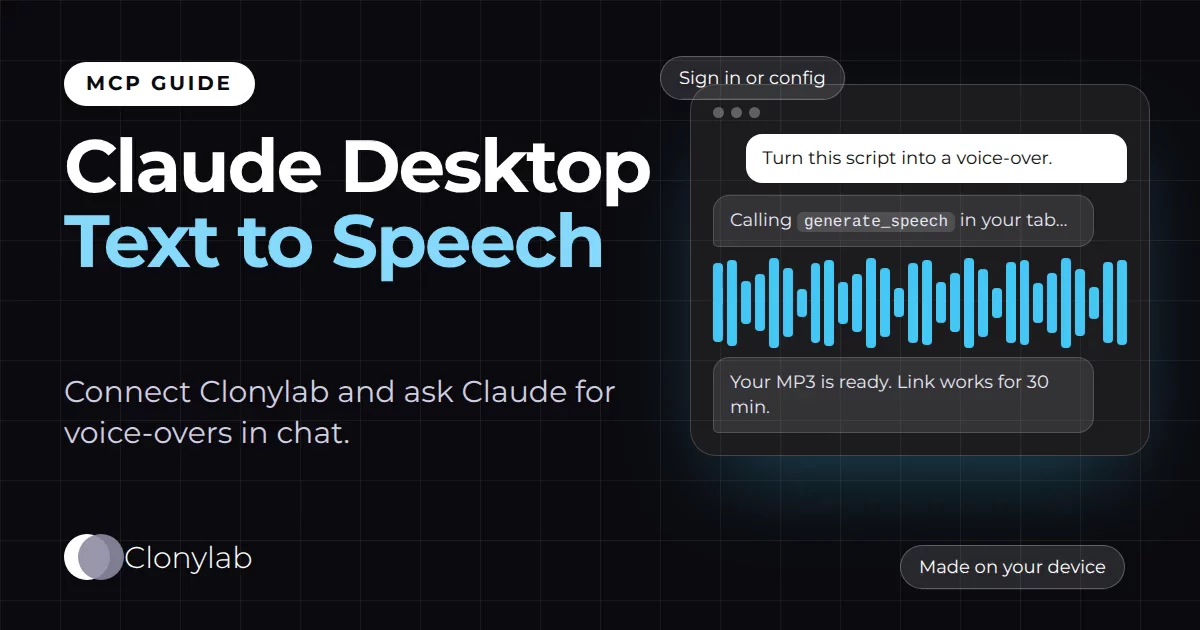
Claude Desktop is a chat app. You ask, it answers in text. With a text to speech MCP server connected, you can also ask it to speak: “turn this script into a voice-over in a warm US voice.” Claude calls Clonylab, your voice-over is made, and you get a link to the MP3 right in the chat.
Clonylab’s MCP server offers Claude 14 tools. They cover voices, speech jobs, History, Studio settings and usage. The tools are the same for every AI app, so if you want the full list first, read our guide to the text to speech MCP server. This guide is only about Claude Desktop.
There are two ways to connect. The first is a custom connector, which is a screen inside Claude where you paste an address and sign in. It is the easiest. The second is a config file with a small helper called mcp-remote. It takes a few more minutes and needs Node.js. We cover both, and we tell you when to choose which.
02Connector or config file: which one?
Anthropic’s help pages describe custom connectors as the main way to add a remote MCP server to Claude. Local servers that you start from claude_desktop_config.json are a separate mechanism that runs on your own computer. Clonylab is a remote server, so the connector is the natural fit.
| Custom connector (Option A) | Config file with mcp-remote (Option B) | |
|---|---|---|
| How you sign in | A Clonylab page opens and you press Allow | A token that you paste into the file |
| Needs Node.js | No | Yes |
| Setup time | A few minutes | A few more minutes, plus a restart |
| Works on claude.ai too | Yes, the same connector is available there | No, it is for the desktop app only |
| Best when | You want the simplest path | Your Claude version has no connector screen, or you want to use a token |
If both are open to you, start with the connector. Use the file route if the connector screen is missing or if your organisation has switched custom connectors off.
Anthropic says custom connectors are available on all Claude plans, with a limit of one custom connector on the free plan. Team and Enterprise accounts need an owner to add the connector first. Check Anthropic’s page, linked below, for what your plan allows today.
03Option A: add Clonylab as a custom connector
Copy your MCP address
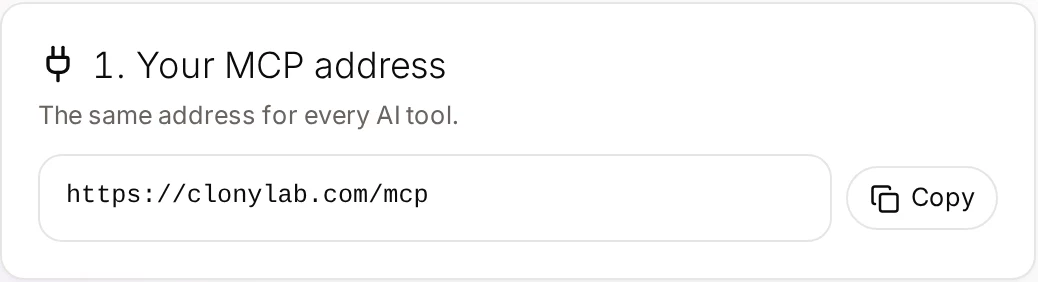
Open Connector in your Clonylab account and copy the address, https://clonylab.com/mcp. You need a Pro or Team plan.
Add a custom connector in Claude
In Claude Desktop, open the connectors page of your settings and choose Add custom connector. Anthropic’s help article puts it under Customize, then Connectors, then Add. Enter a name such as Clonylab and paste the address.
Choose sign-in and press Allow
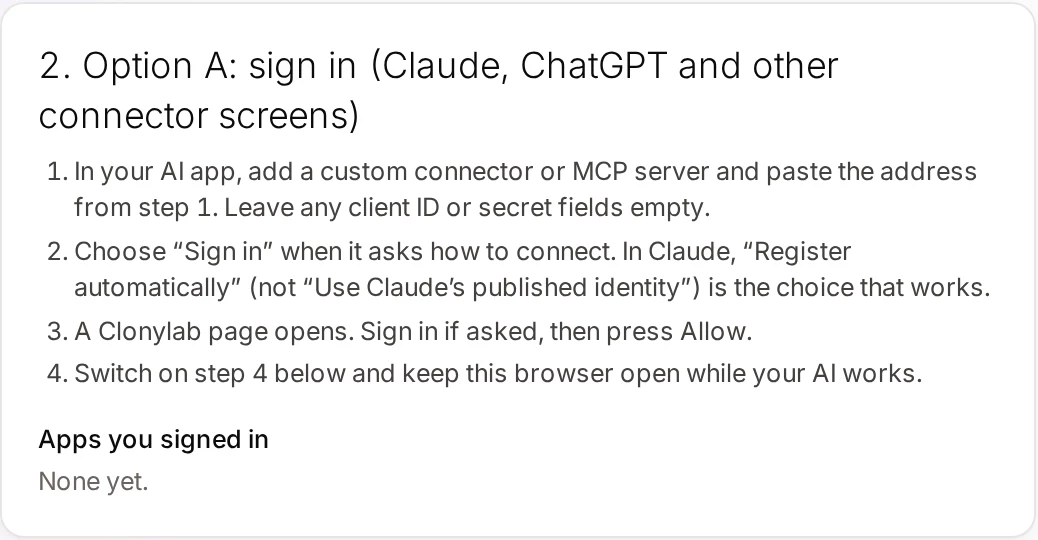
When Claude asks how to connect, choose sign-in. Leave any client ID and secret fields empty. For the OAuth client choose Register automatically, not “Use Claude’s published identity”. Registering automatically is the choice that works with Clonylab. A Clonylab page then opens, asks you to sign in if needed, and shows an Allow button.
Allow your browser tab
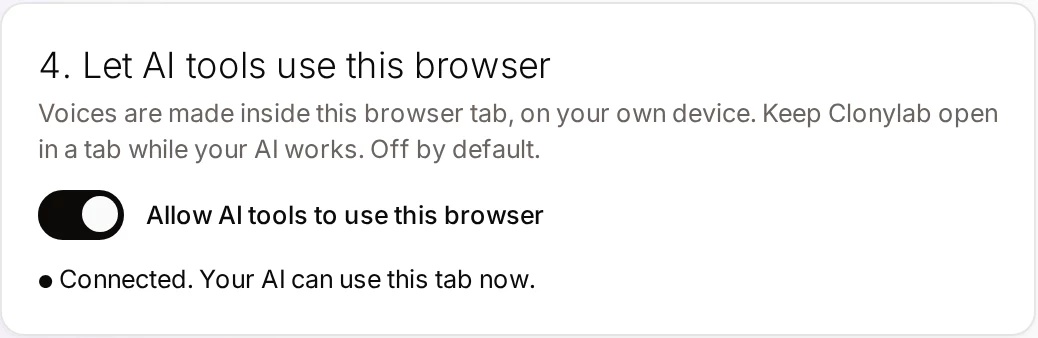
Back in Clonylab, switch on Allow AI tools to use this browser. Keep Clonylab open in a tab, because the voice-over is made there.
04Option B: the config file with mcp-remote
Claude Desktop’s config file starts local programs. It does not take a web address directly. That is why this route uses mcp-remote, a small helper that runs on your computer and talks to a remote server for Claude. It runs through npx, so you need Node.js installed.
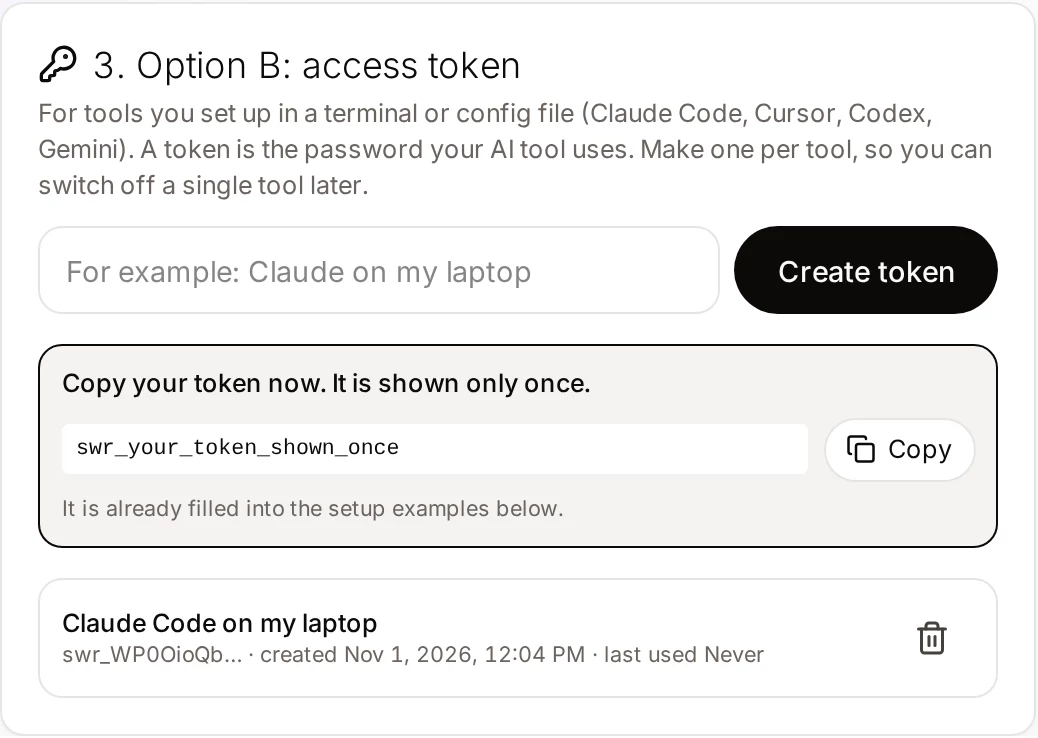
Create a token
On the Connector screen, give a token a name such as “Claude Desktop” and copy it. It starts with swr_ and is shown only once.
Open the config file
In Claude Desktop open Settings, then Developer, then Edit config. This opens the folder with claude_desktop_config.json.
Paste the Clonylab block and restart
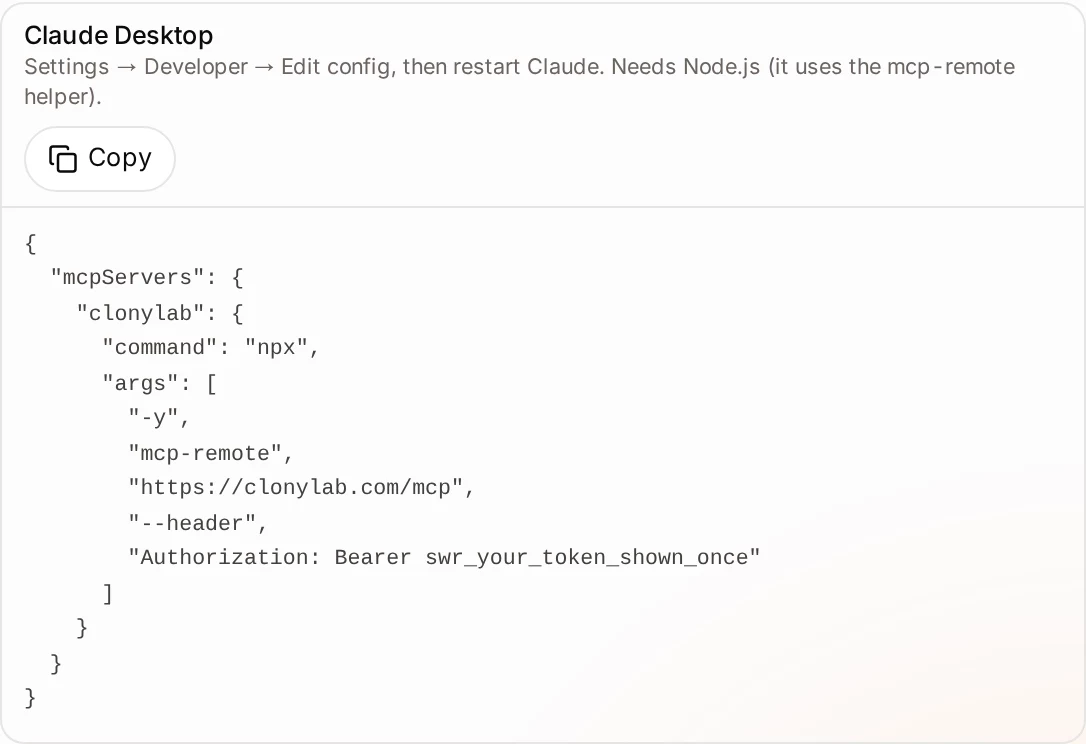
Add this to the file, with your own token. Then quit Claude Desktop fully and start it again.
{
  "mcpServers": {
    "clonylab": {
      "command": "npx",
      "args": ["-y", "mcp-remote", "https://clonylab.com/mcp", "--header", "Authorization: Bearer YOUR_TOKEN"]
    }
  }
}
A missing comma breaks the whole file, and Claude Desktop will not start the helper. Paste the block inside the existing mcpServers object, keep the commas between servers and check the file in an editor that highlights JSON errors.
05Your first voice-over in Claude Desktop
Open a new chat. Claude shows the Clonylab tools in its tools menu. It asks before it uses a tool, so you stay in control.
Is Clonylab connected? List five US female voices.Uses connection_status and list_voices.
Write a 45-second welcome message for my podcast and make the voice-over in a UK male voice. Give me the MP3 link.Claude writes the text, then uses generate_speech and get_audio.
Make that again with a one-second pause after every sentence.Adds [pause 1s] tags to the script.
What did I make this week, and which voice did I use most?Uses usage_summary and list_history.
The link works for 30 minutes. Open it in your browser to listen, or tell Claude to keep a list of the files for you. Clips under 1 MB also come back as audio that the chat may be able to play.
| You ask | Claude uses |
|---|---|
| Is Clonylab connected? | connection_status |
| Which voices can I use? | list_voices and list_cloned_voices |
| Make a voice-over of this text | generate_speech, then get_job if it is slow |
| Give me the MP3 | get_audio |
| What did I make this week? | list_history and usage_summary |
06Keep the connection safe
With the connector route you press Allow once, and Clonylab lists the app on the Connector screen. Remove it there to cut access. With the file route, the token sits in a file on your computer, so look after the file.
07If something goes wrong
| What you see | Likely cause | What to do |
|---|---|---|
| Claude cannot make the connector | The sign-in choice was “Use Claude’s published identity” | Choose Register automatically and try again |
| The Clonylab tools do not show up after editing the file | The JSON has an error, or Claude was not fully restarted | Check the commas and quit the app completely, then open it again |
| “npx” not found | Node.js is not installed | Install Node.js, then restart Claude Desktop |
| Claude says no browser tab is connected | Clonylab is closed or the switch is off | Open Clonylab, sign in and switch on “Allow AI tools to use this browser” |
| It worked yesterday and not today | The tab was closed or the computer slept | Open Clonylab again and check that the card says Connected |
We followed Anthropic’s help article on custom connectors and Clonylab’s own Connector screen on 1 November 2026. We have not tested every plan of Claude Desktop, and its menus change often. If a label does not match, look for the words “custom connector” or “Developer” in Settings.
08Requirements and limits
| Topic | What to know |
|---|---|
| Clonylab plan | Pro or Team. The free trial does not include the AI connection |
| Language | English only, with US and UK voices |
| One request | Up to 10,000 characters per generate_speech call |
| Browser | Keep the Clonylab tab open while Claude works |
| Cloned voices | Claude can use your clones but cannot create one. See voice clone MCP |
| Download links | An MP3 link works for 30 minutes |
Prefer a terminal? The same server works in Claude Code, Cursor and Codex CLI. For listening and tuning one clip by ear, the Studio is still the best place. The text to speech online page explains it.
09Questions and answers
How do I connect Clonylab to Claude Desktop?
Add https://clonylab.com/mcp as a custom connector in Claude, choose sign-in with Register automatically and press Allow. Or use claude_desktop_config.json with the mcp-remote helper and a token. Then switch on Allow AI tools to use this browser in Clonylab.
Do I need Node.js?
Only for the config file route, because mcp-remote runs through npx. The custom connector route does not need Node.js.
Why choose Register automatically?
Clonylab’s sign-in works with clients that register themselves. In Claude, the Register automatically choice is the one that works, so use it instead of Use Claude’s published identity.
Can Claude Desktop play the audio in the chat?
Clips under 1 MB come back as audio in the tool result, and your app may be able to play them. Longer clips come back as a download link that works for 30 minutes.
Do I have to keep Clonylab open?
Yes. The voice-over is made in your open Clonylab browser tab on your own device. Keep the tab open and the browser switch on.
Is it free?
The free trial lets you try the Studio and cloning. The AI connection that Claude uses is part of the Pro and Team plans.
Ready to let your AI make the voice-overs?
Start free with the Studio and cloning, then add Pro when you want the AI connection. English only, no card to start.
Keep reading
Sources and further reading
- Get started with custom connectors using remote MCP (Anthropic) · How to add a custom connector, the sign-in choices and the plans that can use them.
- mcp-remote (GitHub) · The helper that lets the config file use a remote MCP server.
- Model Context Protocol: introduction · The official explanation of MCP and what it is for.
- Model Context Protocol specification · The rules that AI apps and servers follow.
Last updated . The screenshots come from the Clonylab Connector screen, with the address and the token replaced by the real address and a placeholder. App and tool settings change often: if a step does not match your version, trust the Connector screen in your account.